
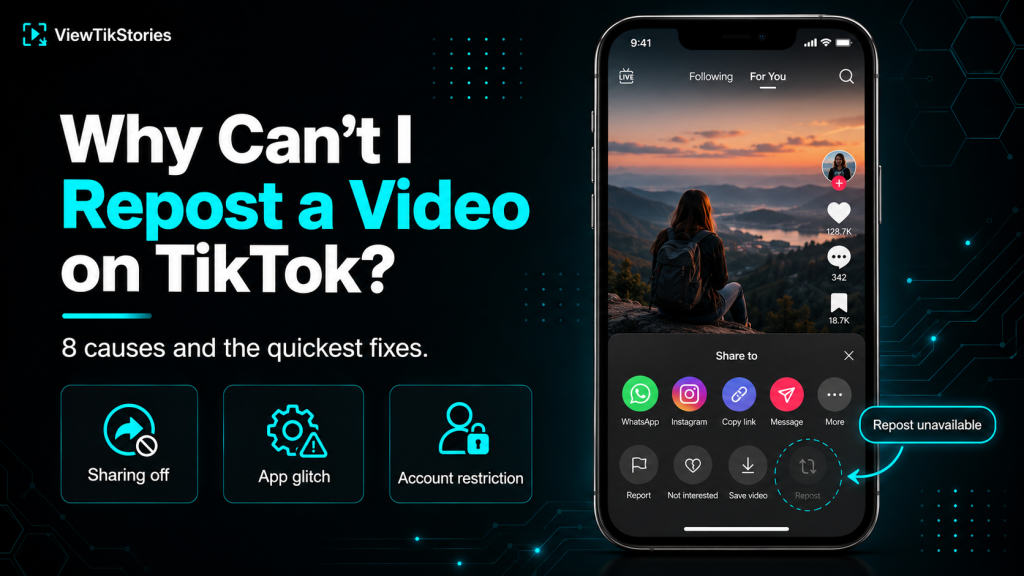
The Repost button disappears for eight specific reasons. Most are quick fixes on your side. Two are permanent decisions made by somebody else. No workaround gets past those.
Match your exact symptom to the right cause first. Trying to update the app when the creator has disabled sharing wastes time. Clearing the cache does nothing when your entire account is under a temporary restriction.
Quick Answer
If the Repost button is missing on one specific video, the creator disabled sharing for that post. Move on. If it is missing everywhere, update TikTok to the latest version, clear the app cache from your device settings and restart the app. If it appears but nothing happens when tapped, log out and log back in. If none of that works, TikTok has likely limited the feature on your account temporarily, which usually clears within a few days.
Match Your Symptom to the Cause
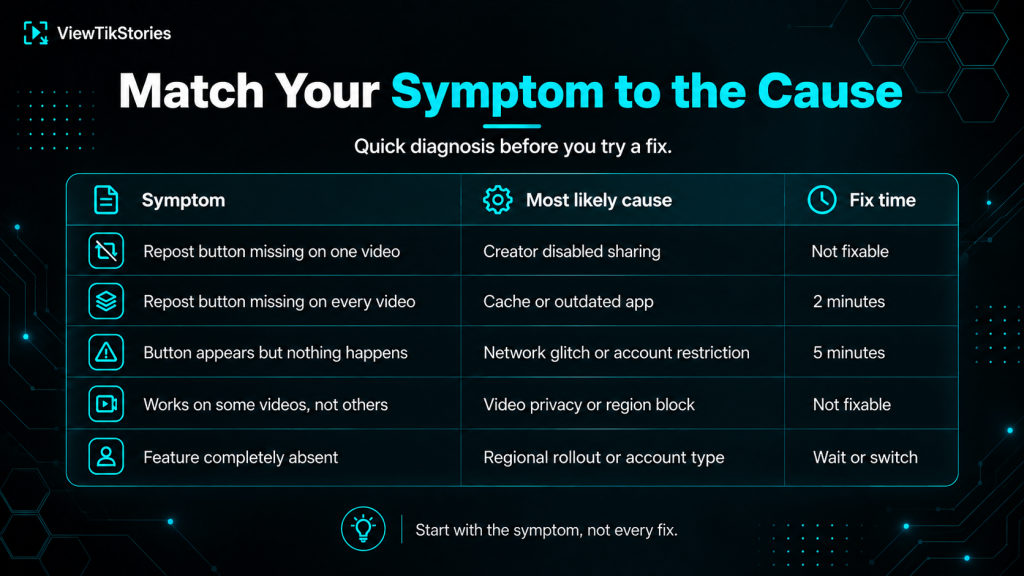
This table saves you from trying every fix in sequence.
| Symptom | Most likely cause | Fix time |
|---|---|---|
| Repost button missing on one video | Creator disabled sharing | Not fixable |
| Repost button missing on every video | Cache or outdated app | 2 minutes |
| Button appears but nothing happens | Network glitch or account restriction | 5 minutes |
| Works on some videos, not others | Video privacy or region block | Not fixable |
| Feature completely absent | Regional rollout or account type | Wait or switch |
The rest of the article works through each cause in the order most people hit them.
Cause 1: The Creator Disabled Sharing
The most common reason. Also the one nothing on your side can fix.
TikTok’ssharing documentation covers the per-video controls creators use to allow or block reposting. When a creator switches sharing off for a specific video, the Repost button disappears from the Share menu for everyone.
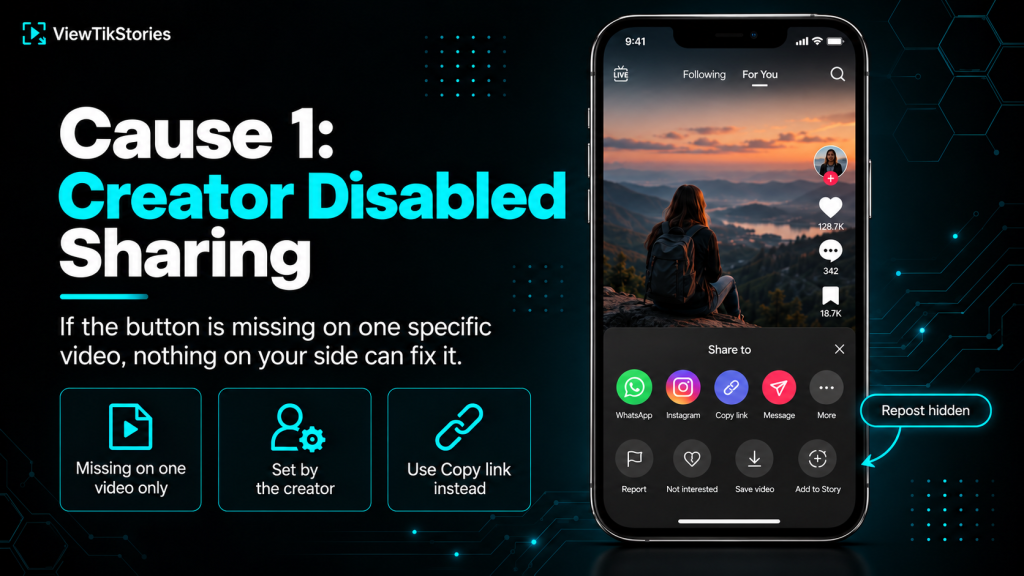
- How to spot it.The button is missing on this specific video but works fine on other videos from other creators.
- Why creators do it.Copyrighted material, sensitive content or personal preference. Sometimes brand campaigns lock reposting to control distribution.
- Workaround.None. This is a deliberate choice by the video owner. You can still share the video by copying the link, but the Repost button will not come back.
Cause 2: Outdated App Version
TikTok updates roll out repost fixes constantly. An outdated app misses them.
This is the fix that resolves most cases where the button is missing across many videos rather than one.
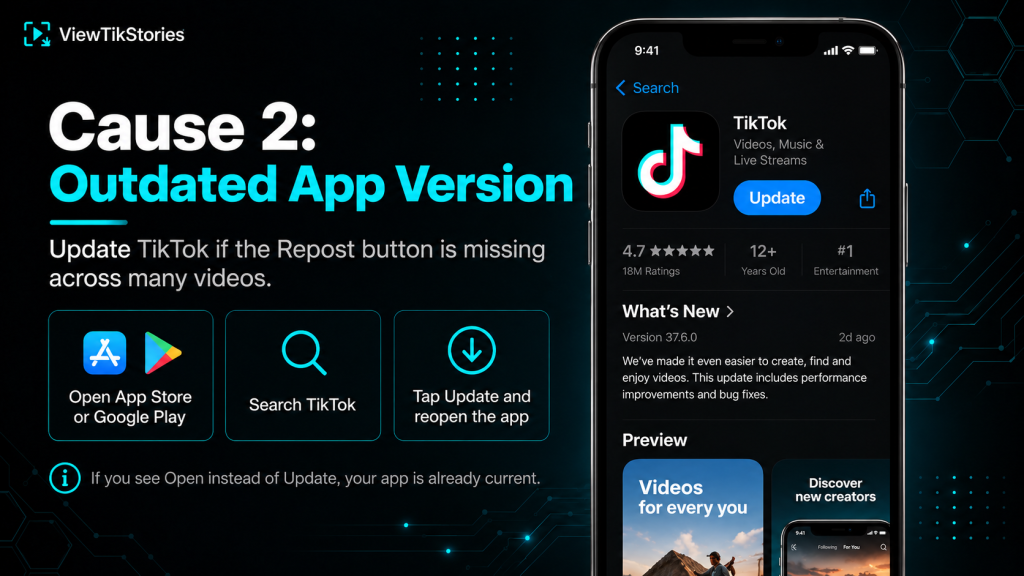
- Open the App Store on iPhone or Google Play on Android.
- Search for TikTok.
- Tap Update if the button appears rather than Open.
- Wait for the update to install, then open TikTok.
- Test the Repost button on any public video.
If the update button says Open rather than Update, your app is already current and the cause lies elsewhere.
Cause 3: Cache Corruption
TikTok stores temporary data on your device that occasionally gets tangled. Clearing that cache resolves a surprising number of button-related issues.
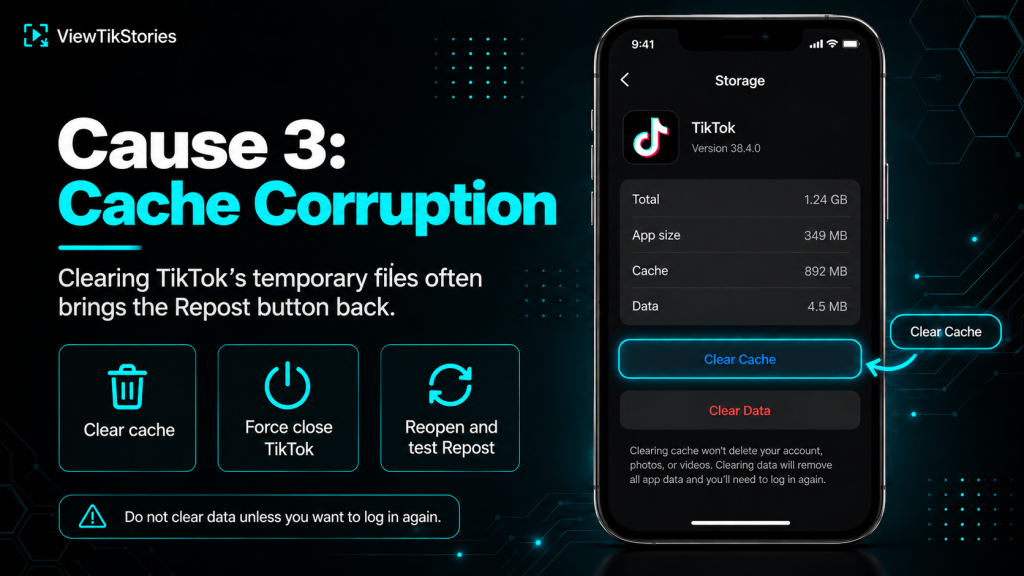
- Android.Settings, then Apps, then TikTok, then Storage, then Clear Cache. Do not tap Clear Data unless you want to log back in from scratch.
- iPhone.Open TikTok, tap Profile, tap the menu icon, then Settings and Privacy, then Free up space, then Clear Cache.
- After clearing.Force close TikTok and reopen it. The Repost button should return if cache was the problem.
Cause 4: Network or Account Glitch
Sometimes the button loads but the tap does nothing.
This usually points to a temporary connection issue or a session that has gotten out of sync with TikTok’s servers.
- Switch between WiFi and mobile data to test the connection.
- Log out of your account from Settings, then log back in.
- If the video is behind a login wall for some reason, that also blocks reposting.
- A quick app restart fixes this more often than people expect.
Cause 5: Your Account Has a Restriction
TikTok temporarily disables features on accounts that have crossed a rule or been reported.
Theaccount safety documentation explains how TikTok limits certain actions after community guideline issues, spam-like behaviour or too many reports in a short window. Reposting is one of the first features to go under these restrictions.
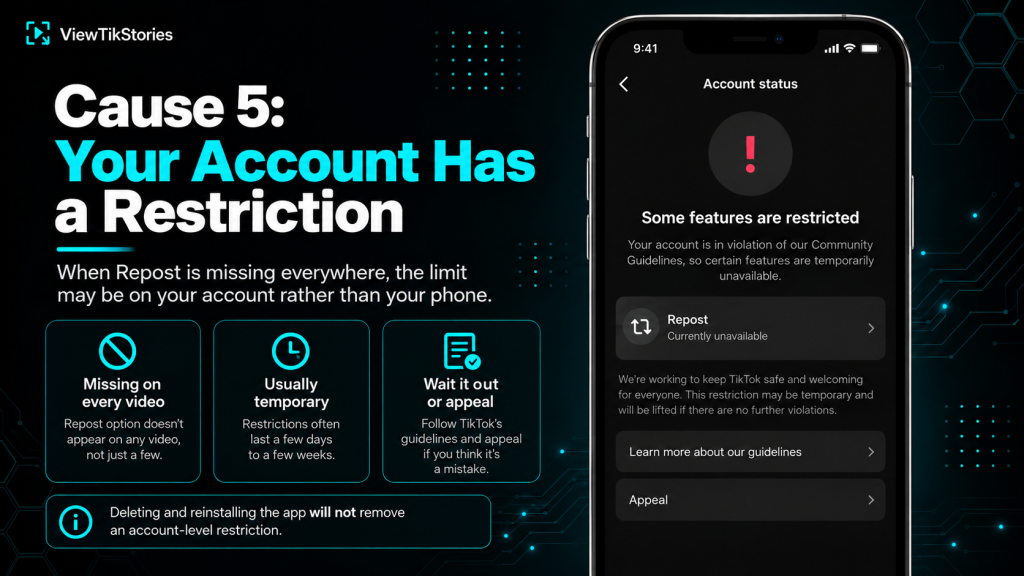
- How to spot it.The button is missing across every video, including ones where you know reposting works for other people.
- How long it lasts.Usually a few days to a week, depending on the reason. Repeat issues extend the timer.
- What to do.Wait it out. Deleting and reinstalling the app does not reset the restriction, since it lives on your account rather than your device.
- Appeal option.If you believe the restriction is a mistake, TikTok has an in-app appeal form under Settings, then Report a problem.
Cause 6: Regional or Feature Rollout Delay
TikTok rolls features out in stages by country and account type.
Reposting was originally tested in a small number of regions before global release. TikTok still rolls updated repost mechanics out gradually. Some features that appear for one user may not yet have reached another user in the same country, let alone in a different one.
- Business accounts.Some business features replace or restrict the repost function.
- TikTok Lite.The lightweight app version drops several features to save space. Reposting is often among them.
- Region-specific restrictions.Certain countries have narrower feature sets due to local regulations.
- Test accounts.If you have access to a friend’s account in the same region, checking whether they have the button confirms whether it is you or the region.
Cause 7: The Video Is Private or Restricted
Not every visible video is repostable.
TikTok’sprivate account documentation covers accounts that restrict content to approved followers. Videos from private accounts cannot be reposted publicly, since that would defeat the entire point of a private account.
- Videos from private accounts you follow are visible to you but not repostable.
- Age-restricted content limits sharing options.
- Videos flagged for review may temporarily lose the Repost button until TikTok completes the check.
- Videos that were originally public but later switched to private lose all their existing reposts too.
Cause 8: The Bug Nobody Talks About
One workaround from creator communities that fixes a genuinely bizarre situation.
Some users report the Repost button missing when viewing a video in the For You feed, then appearing normally when opening the same video from the creator’s profile page. Nobody has a clean explanation for this, but the workaround is documented widely enough to be worth trying.
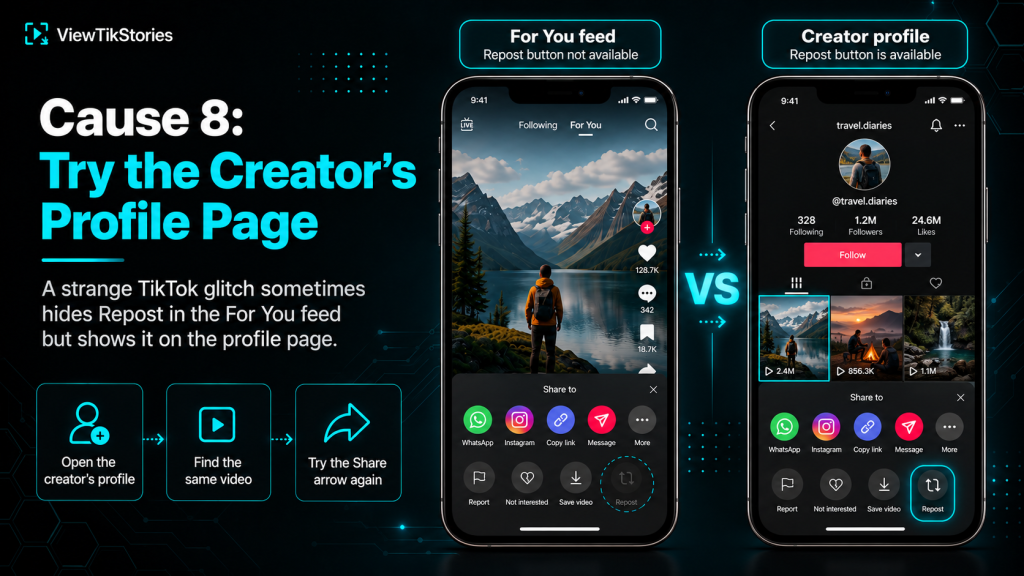
- Note the creator’s username while the video is on screen.
- Swipe right or tap their profile picture to open their profile page.
- Find the same video in their video grid.
- Tap it to open in the profile-page view rather than the feed.
- Try the Share arrow again. The Repost button often appears there.
It is a genuine TikTok glitch rather than a feature. If this works, remember it for next time.
When None of the Fixes Work
A short checklist for the persistent case.
- Wait 24 hours.Server-side issues sometimes clear themselves overnight.
- Try a different network.Switch from home WiFi to mobile data or vice versa.
- Reinstall the app.Not the same as clearing the cache. Full uninstall, then fresh install from the store.
- Use a different device.If Repost works on your tablet but not your phone, the issue is device-specific rather than account-wide.
- Contact TikTok.Settings, then Report a problem. Select Video and viewing, then describe the issue with a specific video URL for reference.
If none of that helps, the restriction is almost certainly on TikTok’s side and has to run its course.
Do Not Confuse Reposting With Sharing
One misunderstanding that comes up often.
Reposting sends a video into your followers’ For You feeds. Sharing sends a link to a specific person or group. Copying a link puts the URL on your clipboard for pasting elsewhere. Only the first is what people mean when they say repost. Only the first can be disabled by the creator. The breakdown ofreposts against likes and favourites covers the whole set.
If you just wanted to share a video with one friend, the Send To or Share To options in the same menu work independently of the Repost button and are almost never blocked.
Repost Fix FAQs
Why did my Repost button work yesterday and not today?
Most likely a TikTok app update that arrived overnight and needs a restart. Try force closing TikTok and reopening it. If that fails, check for an app update in the store.
Can I get in trouble for reposting too much?
Yes. TikTok flags rapid or repetitive reposting as spam behaviour and temporarily disables the feature on the account doing it.
Does deleting a repost cause the button to disappear?
No. Removing a repost is a separate action and does not affect your ability to repost the same video again later. The full walkthrough of removing reposts covers that side.
Is there a limit to how many videos I can repost per day?
TikTok does not publish a specific number, but very high volumes trigger the same spam flag mentioned above.
Eight Reasons, Six Fixes
Match the symptom to the cause using the table at the top. Six of the eight causes are fixable in under five minutes. The other two, creator-disabled sharing and video privacy, are somebody else’s deliberate choice and cannot be worked around.
When you can browse but not repost, theTikTok Repost Viewer loads any public account’s Reposts tab in a browser so you can see what they have reshared. Thevideo downloader lets you save the video itself when reposting is not an option. Thestory viewer handles Stories.
For the reverse question of whether other people know about your reposts, the guide on whether someone can see if you reposted their TikTok covers that side. And if you meant to remove a repost rather than add one, the walkthrough of removing a repost takes three taps.