
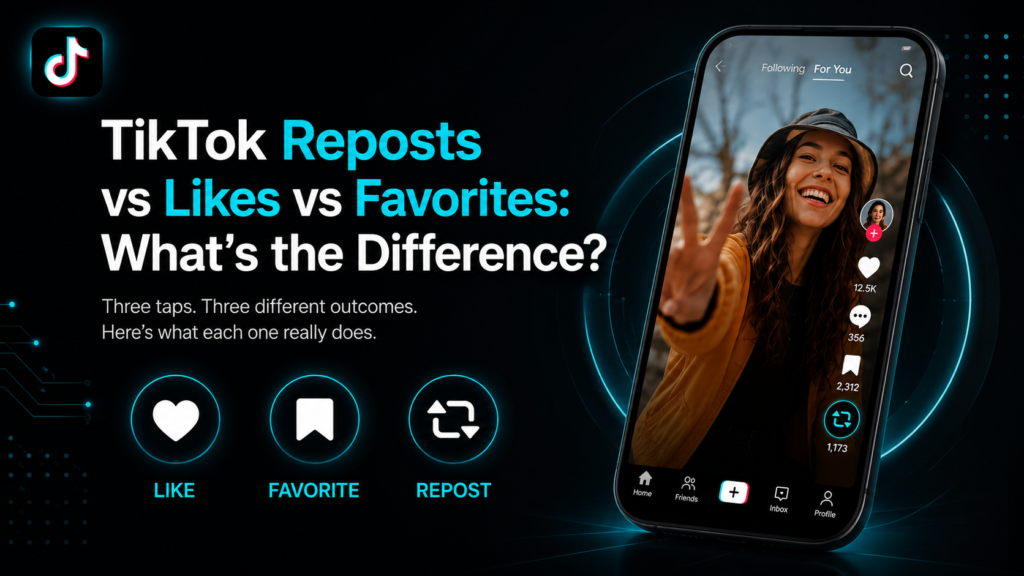
So you tap the little heart on a TikTok video. Or maybe the bookmark icon. Or you hit repost. All three feel like the same basic move, just poking at your screen for a second, but they land completely differently once you look under the hood. One tips off the creator. One stays locked away where nobody but you will ever find it. One basically posts the video to your own page for your followers to stumble on.
Get these three mixed up and you might end up broadcasting a video you meant to keep to yourself. Or on the flip side, you quietly save something and assume nobody will ever notice, when actually they might. Below is the actual breakdown of what separates a like, a favorite and a repost, plus where reposts fit into all of it.
What Each Tap Actually Does
Like: Tapping the heart tells TikTok you liked the clip and the app quietly uses that to shape what shows up in your feed next. Most profiles keep the actual list of liked videos tucked away these days, though the like count itself is usually still out in the open.
Favorite: This one drops the video into a folder that’s basically just yours. Nobody sees it unless you literally hand them your phone and open the tab yourself. It works less like a social move and more like bookmarking a page in a book.
Repost: This one takes somebody else’s clip and puts it in front of your followers, no claim that you made it. TikTok keeps it tucked into its own tab on your profile, away from stuff you actually filmed yourself.
Who Finds Out When You Tap Something
Liking something usually pings the creator with a little notification, though a lot of people go into their settings and shut that off. Favorites? Dead silent, every time, no matter what. Reposting sits in a weirder spot. It doesn’t ping the original creator directly, but it does put your pick on display for your own followers to run into, which neither a like nor a favorite ever does.
Where Everything Actually Shows Up
Your favorites live behind your own privacy wall and only you hold the key to that tab. Reposts don’t work that way at all. Anybody who lands on your profile and clicks the repost tab gets to scroll through the whole lot, assuming your account isn’t locked down to private. That’s honestly a pretty big difference. Favorites basically vanish into thin air the moment you save them. Reposts sit out in the open more like a shelf with your name stuck on the front.
Checking What Someone Has Reposted
Curious what a friend, a brand or a competitor has been sharing lately? You don’t need to follow them or dig through their profile tab by tab. A repost viewer lets youview TikTok reposts from any public account just by typing in a username. No login and no follow request needed. It’s the fastest way to catch content someone reshared before it gets buried or removed.
A Quick Side by Side Look
- Gets the creator’s attention: only liking does this and even then only if notifications are on.
- Stays completely private: favoriting, every single time.
- Goes public on your profile: reposting, nothing else.
- What each one is really for: liking says you enjoyed something, favoriting saves it just for you, reposting hands it off to whoever follows you.
Which One Fits Your Situation
Trying to hang onto a recipe or a workout for your own use later? Favorite does the job, no need to overthink it. Just want the algorithm to clock that you liked something, without any fuss attached? A like handles that in the background. Actually want people who follow you to see the thing? Reposting is the only move built for that job. None of the three overlaps much with the others. Picking the right one really just comes down to who you want in on it: nobody, only you or your whole follower list.
FAQs
So can other people actually see what I’ve liked on TikTok?
Not by default anymore. TikTok switched liked videos to private for most accounts. Unless someone changed that setting manually, your likes stay hidden from other users.
Does favoriting a video tell the creator?
No. Favoriting is completely silent and the creator gets no signal that their video was saved to someone’s private folder.
Say I already shared a repost, can I take it back down?
Yep. Head into your repost tab, track down the video and pull it the same way you’d remove any other post. Once it’s gone, your followers stop seeing it too.
Why does TikTok give reposts their own separate tab instead of mixing them in with my videos?
TikTok keeps them apart on purpose, so anyone looking at your profile can tell right away what you actually filmed yourself versus what you just passed along from somebody else.
Do I have to follow someone to see what they’ve reposted?
Nope, not as long as the account is public. A repost viewer tool pulls that up from outside TikTok entirely, no follow button and no login required.
Do favorites just disappear on their own after a while?
They don’t. Whatever you favorite sticks around in your list until you go delete it yourself or until the person who posted it deletes the original video.
The Bottom Line
Liking, favoriting and reposting all feel like small taps but they carry very different weight. One stays mostly public, one stays private and one sits somewhere in between depending on your settings. Once that clicks, reacting to somebody else’s video gets a whole lot simpler. You’re not left guessing who’s actually seeing what you tap.