TikTok Profile Viewer & DP Downloader
View public TikTok profiles anonymously, check profile details, and download TikTok DP or profile picture in HD quality.
Enter a username or profile link to get started.
Ad
- 100% Private and Secure
- Instant Process
- Full HD Resolution
Viewing a Profile and Saving the DP in Three Steps
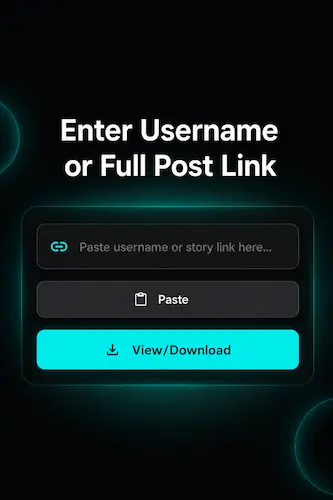
Drop In a Username or Profile Link
The search box at the top accepts three things: a username, a @username or a profile link copied from TikTok. Pick whichever is easiest for you since all of them land on the same result. One condition though. The account has to be public. Anything set to private stays sealed off to non-followers, so the tool cannot open those profiles.
Pull Up the Profile
A tap on Submit is all it takes. Within a second or two the profile is on your screen, displaying a picture at full size and the public details laid out alongside it. No login is needed on your side and no alert reaches theirs. A blank result almost always points to a spelling slip or a private account, so it is worth a quick recheck before trying once more.
See the Profile or Save the DP
The full HD profile picture shows up right here in the tool, not buried inside the TikTok app. A single tap on Download Profile Picture saves it to your device, matching the resolution of the original file TikTok stores. Phone users can use the same Download Profile Picture button to save the full uncropped original. What you keep is the clean original, no cropping and no compression added on the way.
What Makes TikTok Profile Viewer Worth Using
The full DP, not a Cropped Circle
TikTok keeps profile pictures locked inside a small circle with no way to open or expand them. A TikTok DP viewer pulls the original full-size image so it finally appears the way the creator uploaded it. Sharp, complete and free of the cropping the app forces on it.
More than Just the Picture
Apart from the DP, the publicly available details attached to a profile surface here too. The display name, the handle and other public profile information sit together in one view. Useful for a quick overview of an account before deciding whether to follow it or reach out.
No footprint left behind
Opening a TikTok profile while logged in can leave subtle traces depending on how you interact with it. A browser-based viewer sidesteps that entirely. You are looking at public information without your account being part of the equation, so nothing about your visit is saved on the owner's end.
Works without an account
No TikTok login needed and no account required to get anything done here. You do not hand over an email, create a profile or agree to anything before the TikTok profile viewer opens up. Just land on the website page, drop in the username and the profile picture comes up. Anyone can use it from the first visit without signing up for a single thing.
Nothing to set up
No form to fill in, no software waiting to be downloaded and no waiting around before anything works. You land on the page and the viewer is ready to go. It runs inside the browser tab you already have open and leaves nothing extra sitting on your device afterward.
View and save on one screen
A lot of sites split the job in two, sending you somewhere else just to save the picture. That extra step is gone here. The profile loads, the display picture sits right in front of you and the download button is on the same screen. No switching tabs and no second site partway through.
Who Reaches for a TikTok Profile Viewer
Designers and content creators pull a creator's DP at full size for moodboards, references or a quick visual check. The app locks that picture in a tiny circle, so a full-resolution viewer is the only practical way to see it clearly.
Anyone sizing up an account before engaging uses it to confirm who is on the other end. Maybe a follow request came in, maybe a brand reached out or maybe a name looks slightly off. Viewing the profile and its public details first settles it without alerting the owner.
Marketers and curious users lean on it for quieter reasons. They might be checking a competitor's public profile, confirming a handle or just taking a proper look at an account without logging into TikTok at all.
Everything the Tool Lets You Do
A quick rundown of what is possible here:
- Look up any public TikTok profile straight from your browser with no app and no login
- Save the DP in full HD instead of the cropped circle the app shows
- See the display name, handle and other public profile details in one view
- Size up an account before following without the owner ever knowing
- Confirm a profile is genuine by matching the picture against what you expected
- Search with a username, a @username or a profile link, whichever you have
Using the Profile Viewer on Any Device
There is nothing to set up on any platform. On an iPhone, open Safari, paste a username or link and tap the Download Profile Picture button to save the full-size image to your camera roll. Android works the same through Chrome or any browser, with that same button saving the picture to your gallery. On a Windows PC open the page in Chrome or Edge and use the Download Profile Picture button to save it. A Mac handles it identically through Safari or Chrome. Whatever modern browser you reach for, the viewer stays lightweight and runs the same.
Latest Guides
How to View a TikTok Profile Picture in Full Size
TikTok displays every profile picture inside a small circle. On the profile page it shows around 100 pixels wide. In […]
How to Find a TikTok Account Using Part of a Username
You remember most of a TikTok username but not all of it. Maybe the first few characters. Maybe the ending. […]
How to Check Someone’s TikTok Follower Count by Username
Checking your own TikTok follower count is easy. TikTok Studio shows it clearly. Checking somebody else’s is harder than it […]
How to Compare the Follower Counts of Two TikTok Accounts
Comparing two TikTok accounts one at a time gives you snapshots. Watching them side by side gives you the race. […]
How to Search TikTok Users by Display Name
The display name is the human-readable label people actually notice on TikTok profiles. It sits above the @handle in every […]
How to Copy a TikTok Story Link Correctly
TikTok Story links do not always exist the way people expect. A regular video has a clean, permanent URL that […]
Frequently Asked Questions
Can I download a TikTok profile picture in full size?
Yes. This tool grabs the original full-resolution picture instead of the cropped circle you see in the TikTok app. DP, PFP, avatar, whatever you call it the file you save comes through in the same HD quality the creator uploaded.
Why I only see a tiny profile picture in the TikTok app?
TikTok deliberately keeps profile pictures inside a small circle with no option to expand or save them. This is a limitation of the app itself. A browser-based profile viewer is the practical way to see the DP at its actual full size.
Will the person know I viewed their TikTok profile?
No. You are viewing public profile information through a browser without your TikTok account being involved. There is no notification and nothing recorded on the profile owner's end about your visit.
Can I view profile details of a private TikTok account?
No. Private accounts keep their profile details and content restricted to approved followers. The tool only works with public TikTok profiles where the information is openly available.
What information shows up when I view a profile?
You get the full-size display picture along with the public details attached to the account. That covers the display name, the username handle, the bio, and the public stats row of followers, following, likes, video count and friends. The tool only surfaces information that TikTok already makes public for that account.
Do I need a TikTok account to use the profile viewer?
No. The tool runs without any TikTok login or account. Enter a username, @username or profile link and the profile loads without any credentials needed from you.
Is the TikTok Profile Viewer free to use?
Yes. The profile viewer and DP downloader are completely free with no subscription and no limit on how many profiles you look up or pictures you save.
Does the DP download work on mobile?
Yes. On a phone the profile picture loads in full size and you can tap the Download Profile Picture button to save it to your gallery or camera roll. Works on both Android and iPhone browsers without any app.
ViewTikStories is a free online tool that helps users view and download public TikTok stories, profiles, videos, reposts, music, and profile pictures without login.
Learn More


Quick Links
Copyright © 2026 View TikTok Stories. All Rights reserved.
This site is not affiliated with TikTok or ByteDance Ltd.
All trademarks and logos are the property of their respective owners.