
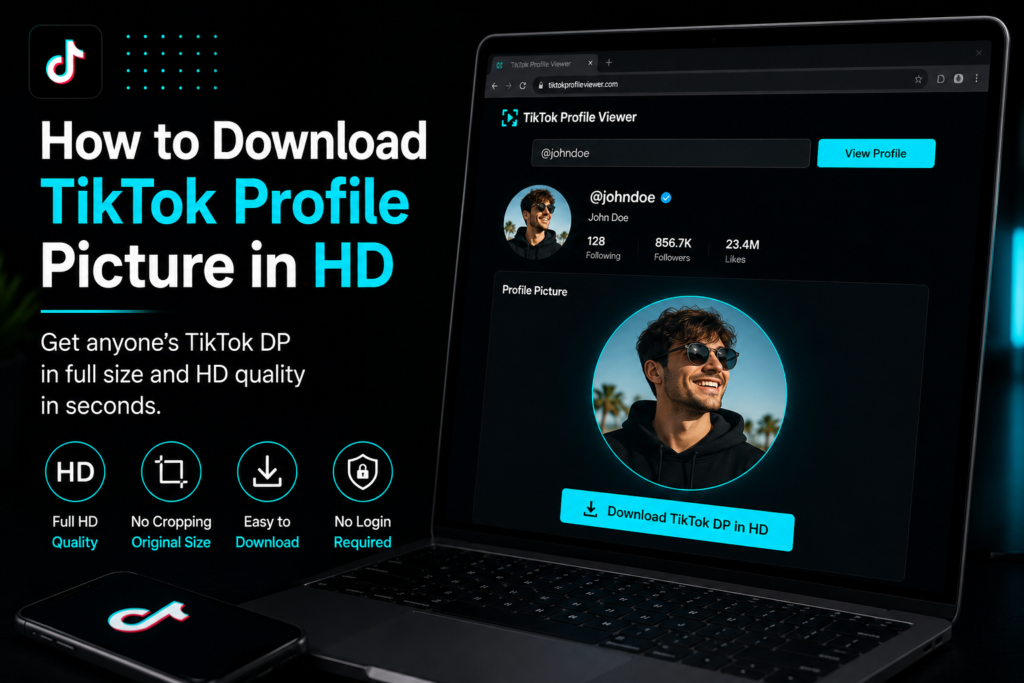
Every TikTok profile picture looks the same once you tap on it. A tiny circle that will not expand no matter how hard you try. If you want a proper look at someone’s DP, save it for a moodboard or just confirm you have the right account, that small circle is not going to cut it.
The good news is TikTok’s own limits do not mean you are stuck. There are a few ways to pull the real full size picture off a profile, some manual and some instant. This guide walks through what actually works and what just wastes your time.
Why TikTok Locks the Profile Picture in a Circle
TikTok crops every profile photo into that little round frame the second it gets uploaded. There’s no button anywhere in the app to open it up or save it separately, so that circle is pretty much all you get. Doesn’t matter whose profile it is either, everyone gets the same treatment. Behind that circle sits a full square or rectangular photo most of the time and it genuinely looks a lot better once you can see all of it.
Screenshotting Does Not Give You HD
Taking a screenshot feels like the quickest fix, but here’s the catch. You’re just capturing that tiny circle at whatever size your screen happens to render it, so what you end up with is soft, sometimes a bit pixelated and nowhere near the quality TikTok actually has on file. Fine for a quick glance maybe, but a screenshot just won’t hold up for anything more than that.
Pull the Image Manually from a Browser
Not a fan of third party tools? There’s a manual way around this too. Head to the profile on TikTok’s website, right click the profile picture, then pick Open Image in a New Tab. That usually pulls up a bigger version straight from TikTok’s own servers. From there just right click again and hit Save Image As. It works most of the time, though the image isn’t always full resolution and the exact steps shift a little depending on which browser or device you’re on.
Use a Dedicated TikTok DP Downloader
Here’s the easier way. There’s a tool made just for this. Drop a username, handle or profile link into a TikTok Profile Viewer and the full size picture shows up right in your browser, matching the exact resolution TikTok already has on file. One tap after that and you canDownload TikTok DP in HD with zero cropping and no quality knocked off in the process. No login needed, no jumping between apps and no wondering later if what you saved is the real deal or some compressed copy.
A Quick Note on Safety
Stick to tools that only ask for a username or a public profile link. Anything that asks you to log into your TikTok account before showing a picture is not worth the risk since there is no reason a profile picture downloader needs your credentials. Public information should stay easy to reach without you having to hand over anything private.
Which Method Should You Actually Use?
Honestly, it depends on how much effort you want to put in. Just need a quick look? Opening the image manually in a browser tab works fine and costs nothing. Want it saved properly in full HD without digging through browser menus? A dedicated profile viewer does it in a couple of taps and skips all the guesswork about resolution.
A Few Extra Tips for Getting the Best Result
A few small things make a real difference here. Grab the picture straight from a profile link or username, not some cached thumbnail you found somewhere else. Cached copies are almost always smaller and blurrier than the original. Site asking you to install something or sign up before it shows a result? Close that tab. A real profile picture tool works instantly, no extra steps needed. Save the file in its original format too, don’t screenshot the preview, since that alone keeps the resolution intact. Double check the account handle before you pull the image. TikTok usernames get recycled or slightly misspelled constantly and the last thing you want is somebody else’s picture. None of this takes more than a minute once you know what to look for and it beats redoing the whole thing later.
FAQs
Can I download someone else’s TikTok profile picture?
Yeah, as long as it’s a public account. Drop the username or profile link into a profile viewer tool and the picture pops up at full size, ready to save.
Why does my saved profile picture look blurry?
That’s usually screenshots or thumbnails messing things up. Use a tool that pulls the original file straight from TikTok’s servers instead and the blur problem goes away.
Will the person know their profile picture was downloaded?
Nope. You’re just looking at public info through a browser tool, so no notification goes out and nothing gets logged on their end.
Does this work on both iPhone and Android?
Yes. The same steps work everywhere, it doesn’t matter if you’re on a phone, tablet or computer.
Do I need to log into TikTok to save a profile picture?
Nope, no login required at all. You can view and save public profile pictures without ever signing in or making an account.
Tired of squinting at that cropped little circle every time you check someone’s profile? Skip the screenshots and the extra tabs. Paste a username into a TikTok Profile Viewer anddownload TikTok DP in HD before the kettle even finishes boiling.