
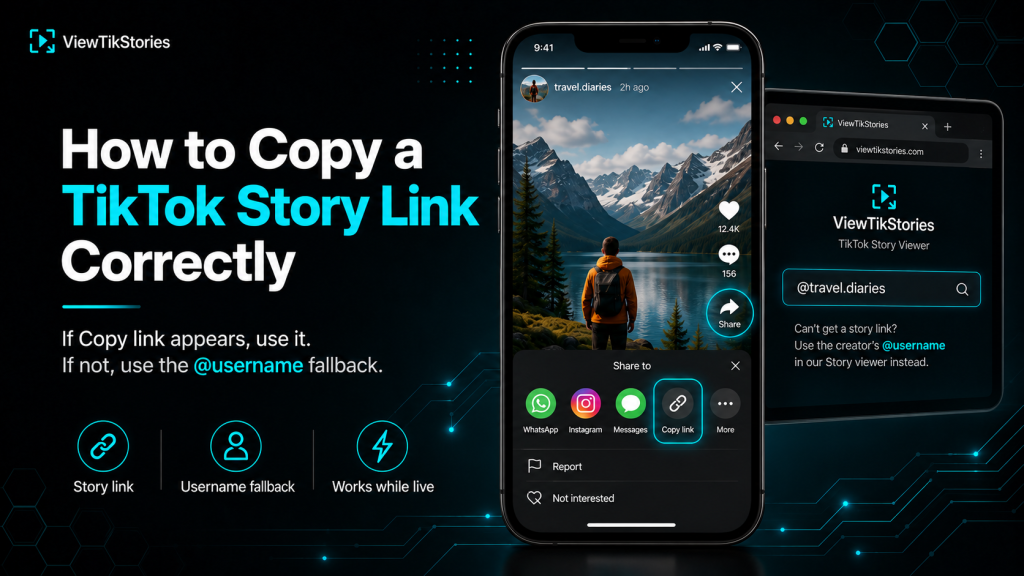
TikTok Story links do not always exist the way people expect.
A regular video has a clean, permanent URL that appears the moment you hit Share. A Story often does not. Which is why so many attempts to copy one end up with the wrong link. Or no link at all. Or a link that dies within the hour.
The fix is either finding the actual Story link when it does exist. Or knowing when to switch to the username fallback that works every time.
Quick Answer
Open the Story in the TikTok app, tap the Share arrow and look for Copy Link. If that option appears, that is your Story link. If it does not appear or if you are on desktop with no Story visible at all, use the creator’s @username with a browser Story viewer instead. The username works whether TikTok gave you a shareable link or not.
Story Links Are Not Like Video Links
Worth getting this straight before troubleshooting anything else.
TikTok’ssharing documentation covers copying links for videos, photos, sounds, hashtags and profiles. Stories sit apart from all of that. They are the 24-hour ephemeral format documented separately underTikTok Stories. Their sharing behavior is inconsistent by design.
The result is a set of quirks that catch almost everybody out.
- Some public Stories offer Copy Link in the Share sheet. Some do not.
- The link that does appear expires along with the Story after 24 hours.
- Desktop browsers rarely surface a shareable Story link at all.
- Highlights, which are saved Stories, tend to behave more like regular posts.
URL Patterns Side by Side
| Content type | URL pattern | Copy Link available? |
|---|---|---|
| Regular video | tiktok.com/@user/video/XXX | Yes, on every public post |
| Photo Mode | tiktok.com/@user/photo/XXX | Yes, on every public post |
| Live Story | No stable public URL | Sometimes; unreliable |
| Profile | tiktok.com/@user | Yes, from the profile menu |
That last row is the whole reason this article exists. Live Story links are the odd one out on the entire platform.
How to Copy a TikTok Story Link in the App
Best route when the option is actually there.
- Open the Story by tapping the blue ring around the creator’s profile picture.

- Tap the Share arrow on the right side of the screen while the Story is playing.
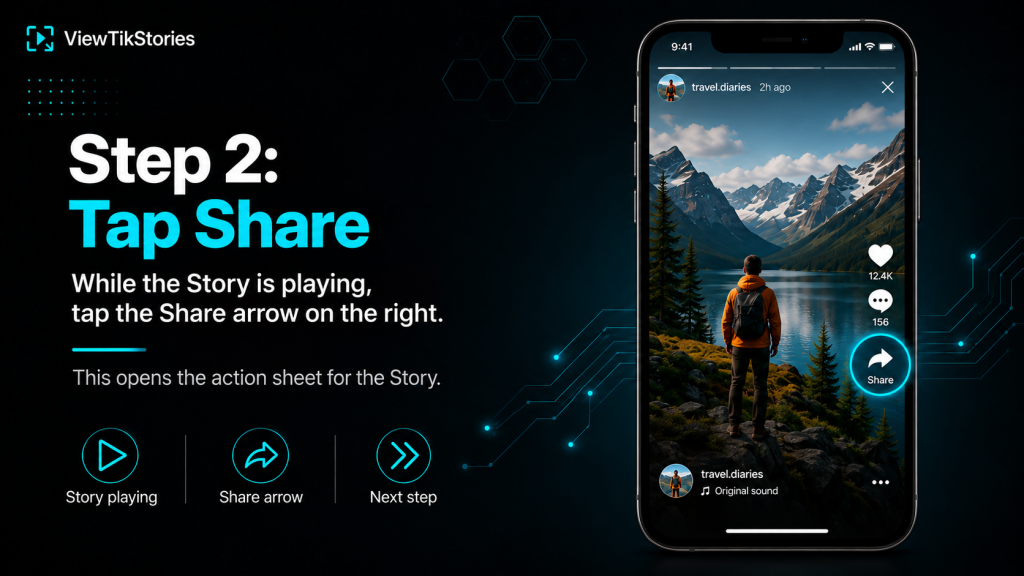
- In the row of action buttons, scroll sideways until you find Copy link.

- The URL lands in your clipboard. Paste it anywhere it needs to go.
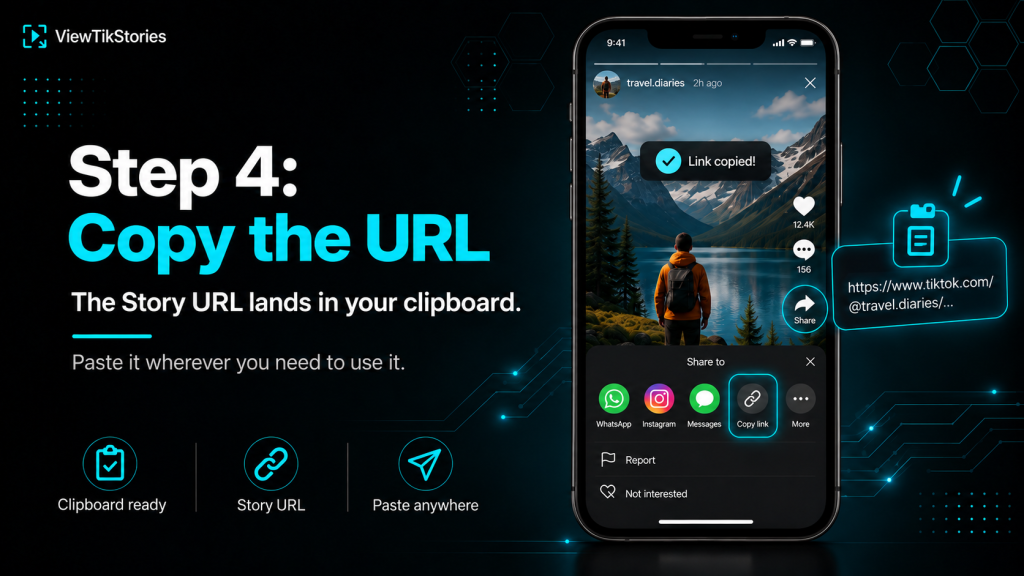
If the button does not appear, do not keep tapping. It is not hidden. Move on to the username method further down.
How to Copy a Story Link on Desktop
Trickier. Often not possible at all.
TikTok is mobile-first. Story features arrive on desktop late or partially. Sometimes a Story is visible on the creator’s profile page at tiktok.com and sometimes it is not, even for the same account viewed on a different day.
- If the Story loads.Tap the three-dot menu or the Share icon on the Story overlay, then Copy link.
- If nothing loads.Skip straight to the username method. Nothing about repeat attempts will change the result.
- The address bar trick.Sometimes the URL updates when a Story is open. Copy it before it changes.
More on what desktop actually supports sits in the guide on watching TikTok Stories in a web browser.
The Username Fallback: The Method That Always Works
This is the route most professionals use because it never fails.
The creator’s @username is stable, permanent and available on every profile. Feed it into a Story viewer and the tool loads all their active Stories regardless of whether TikTok gave you a direct Story link or not.
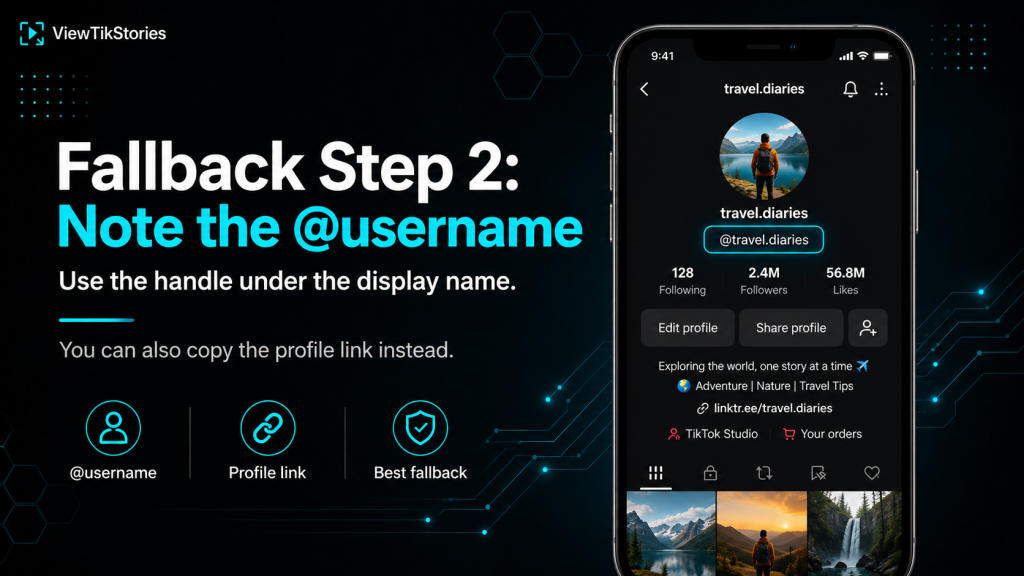
- Open the creator’s TikTok profile.
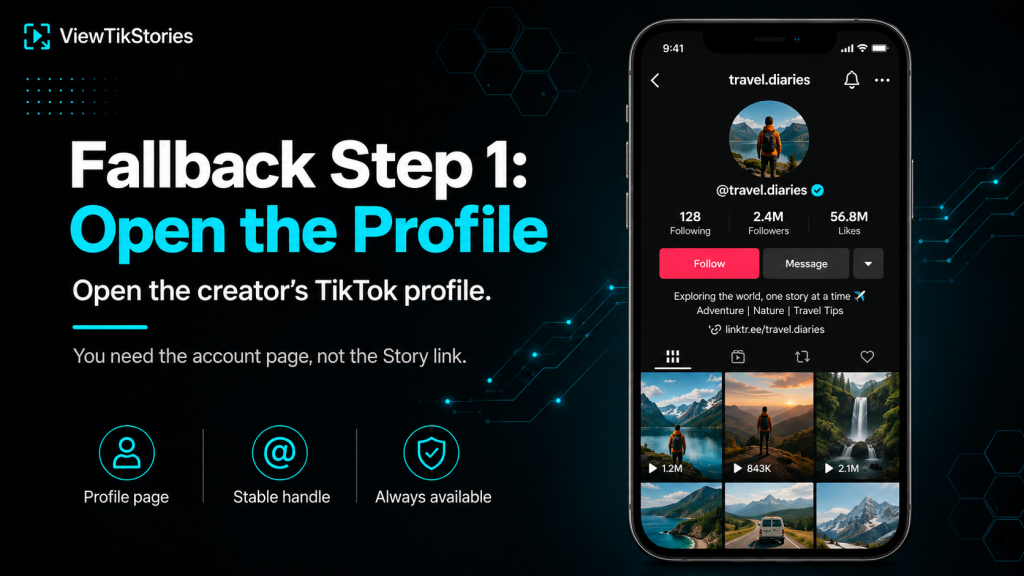
- Note the @username under their display name. Alternatively, copy their profile link.
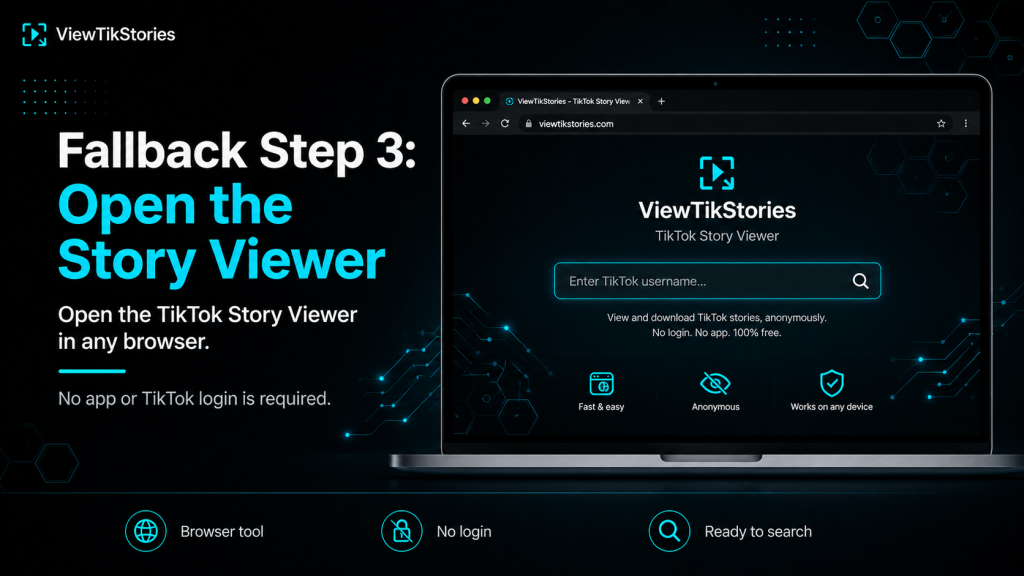
- Open theTikTok Story Viewer in any browser.
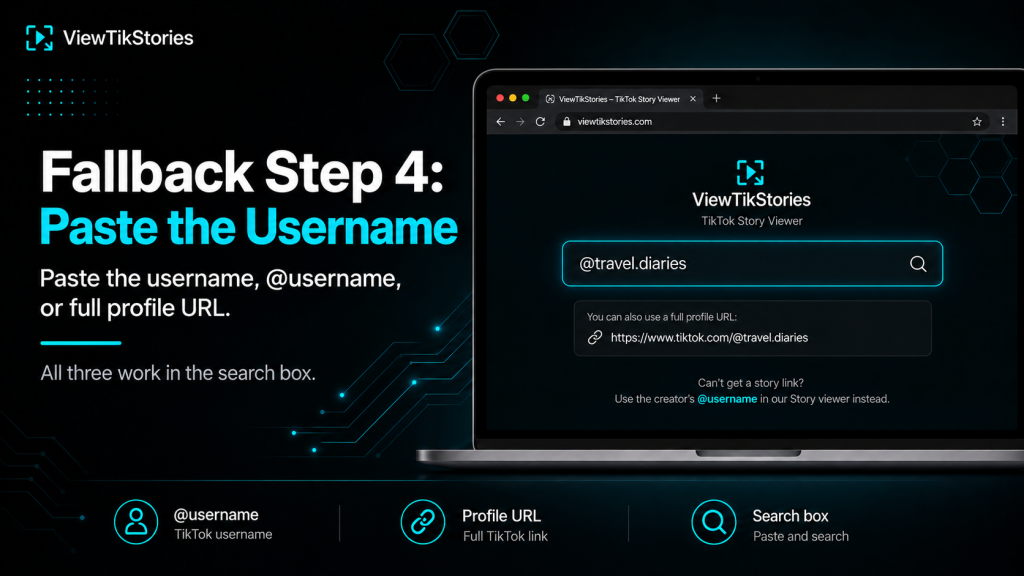
- Paste the username, the @username or the full profile URL into the search box.
- Hit Submit. Every currently active Story loads in a gallery.
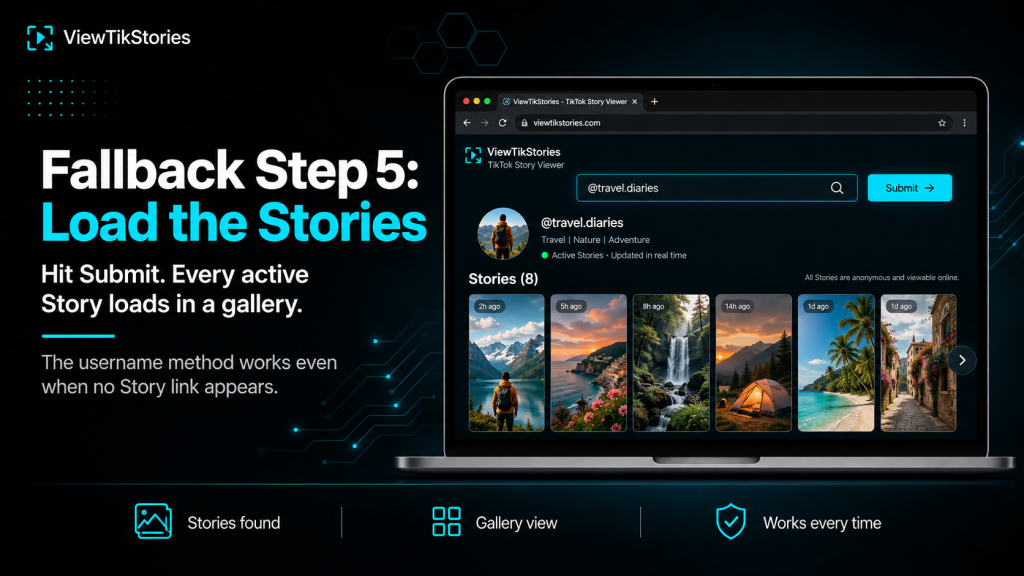
No missing links, no expired URLs and no need for TikTok to have offered a Copy Link option at all. The username is the anchor and everything else follows from it.
Why the Copy Link Option Sometimes Vanishes
Not a bug in most cases. There are specific reasons.
- Private account.Sharing options disappear along with the content. TikTok’s guidance onprivate accounts explains that these restrict content to approved followers.
- Creator disabled sharing.The person who posted the Story can switch sharing off for their own posts.
- Age-restricted content.Sharing options are limited on content flagged for younger viewers.
- Regional limits.Some Story features are gated by country or account age.
- The Story just expired.If the 24 hours ran out during your session, the link disappears with the Story.
Three Common Mistakes
These account for most complaints about broken Story links.
- Copying the caption instead of the link.The Copy button grabs text. The Copy Link button grabs the URL. Two different buttons.
- Copying a profile link when you wanted a Story link.A profile URL points at the account, not the Story. If the Story expires, the profile URL still works but shows no Story.
- Assuming a short link is the wrong one.TikTok shortens URLs for sharing. A vm.tiktok.com link redirects to the full one and works exactly the same way.
When You Have the Link, Then What?
Depends on what you are trying to do with it.
- Just share it.Paste into a message. The recipient taps and TikTok opens the Story if it is still live.
- View it anonymously.Paste the link into a browser Story viewer. Nothing goes back to the creator.
- Save the file.A Story viewer with a download button gives you the MP4 or JPG before the Story expires.
- Cross-post it.Paste the link on other platforms. It renders as a TikTok preview card.
For photo Stories specifically, the photo Story download guide covers the extra step of pulling individual images.
Copy Link and Privacy
Worth knowing what your action does and does not signal.
Copying a link sends no notification. The creator has no way to see who copied their Story URL. Not how many times. Not when.
What does register is opening the Story in the TikTok app while signed in. That adds your username to the creator’s viewer list, which the guide on screenshotting TikTok Stories covers in more detail.
Story Link FAQs
Why is there no Copy Link option for this Story?
Either the account is private, the creator disabled sharing or the Story just expired. Use the username with a Story viewer instead.
Do TikTok Story links expire?
Yes. When the 24-hour window ends the link stops working, unless the creator saved the Story to their profile as a Highlight.
Can I open a Story link without a TikTok account?
The official link usually pushes an install prompt. A Story viewer in your browser loads the content without any account or app.
Does the URL show my username?
No. Story URLs contain the creator’s handle and a numeric Story ID. Nothing about you is encoded in them.
Right Link or the Right Fallback
When TikTok gives you a Story link, copy it from the Share sheet inside the app and use it while the Story is still live. When it does not, do not fight the app. The creator’s @username with a browser Story viewer produces the same result, works every time and does not depend on TikTok remembering to show you a Copy Link button.
Have the username ready and open theTikTok Story Viewer to load whatever is currently posted. Theprofile viewer handles the account itself. Thevideo downloader takes over for regular posts once you have a link.