
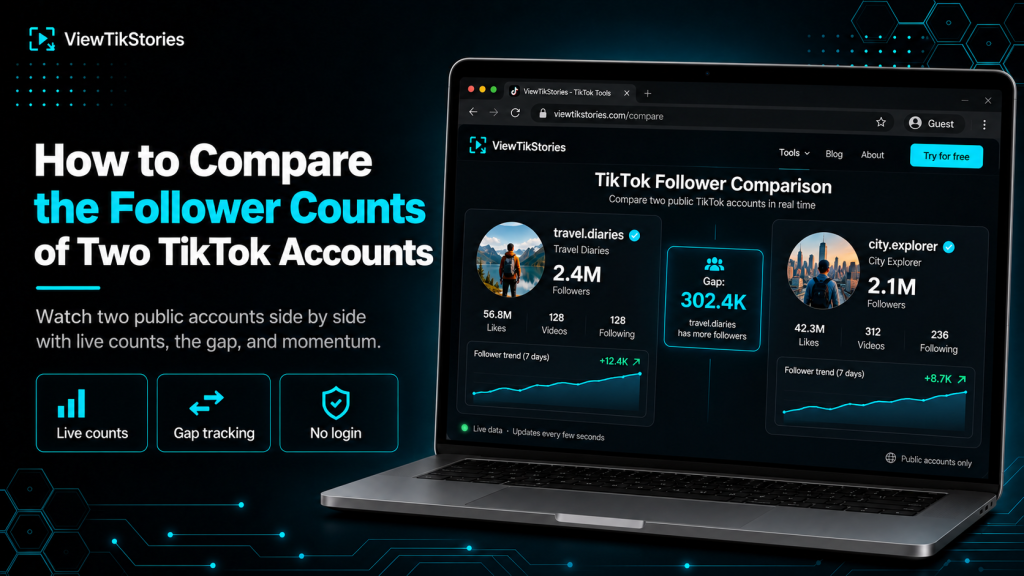
Comparing two TikTok accounts one at a time gives you snapshots. Watching them side by side gives you the race. When you can see both follower counts updating together, the gap between them and how fast each is gaining, the whole competitive picture becomes visible in a way individual profile checks never deliver.
This is the specific use case for follower comparison tools. Two creators chasing the same milestone. A brand benchmarking two potential partners. A fan settling a rivalry argument. This guide covers how the comparison workflow works, what the side-by-side view actually shows and where it fits into serious creator research.
Quick Answer
Open a TikTok follower comparison tool in your browser and enter both usernames. The tool loads both accounts side by side with live-updating follower counts. Most comparison tools refresh every 5 to 15 seconds and display a running gap number showing which account is ahead and by how much. Works only on public accounts. Both accounts need to be public for the comparison to load.
Why Compare Two Accounts at All
Single-account checks answer a different question than side-by-side comparisons.
- Single check answers “how big”.One number. One snapshot. Useful for citing a stat or confirming a claim.
- Comparison answers “which is bigger and by how much”.Two numbers plus the gap. Useful for competitive analysis and race tracking.
- Live comparison adds momentum.The gap moves as either account gains or loses followers. You see acceleration in real time.
- One-off checks miss viral moments.A creator who gains 50,000 followers overnight goes from second to first in a single day. Only live comparison catches this while it happens.
The switch from checking each profile separately to watching both together is the difference between reading a leaderboard and watching the race unfold.
The Live Comparison Workflow
The setup is short.
- Open a browser and go to aTikTok Follower Counter that supports comparison mode.
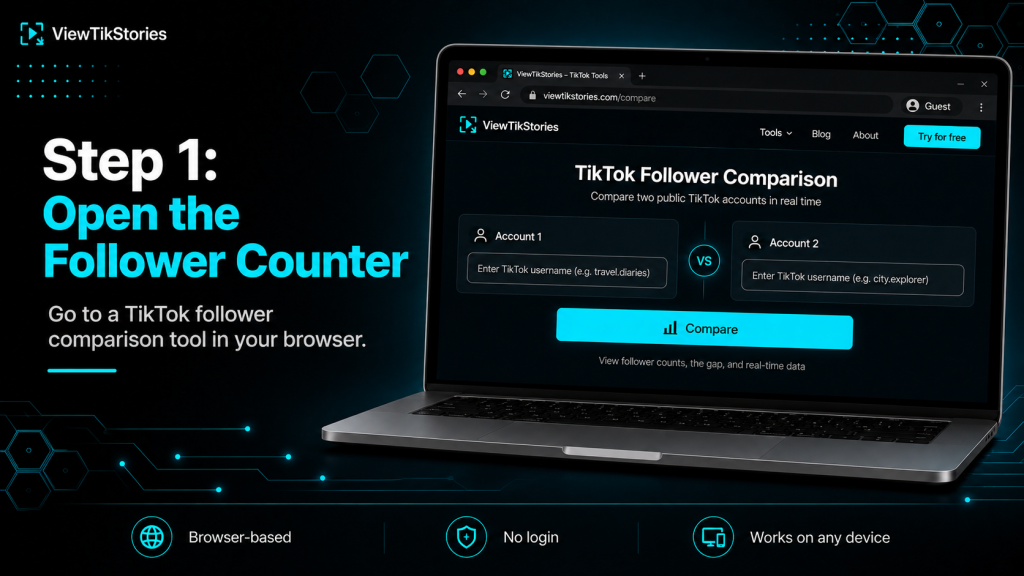
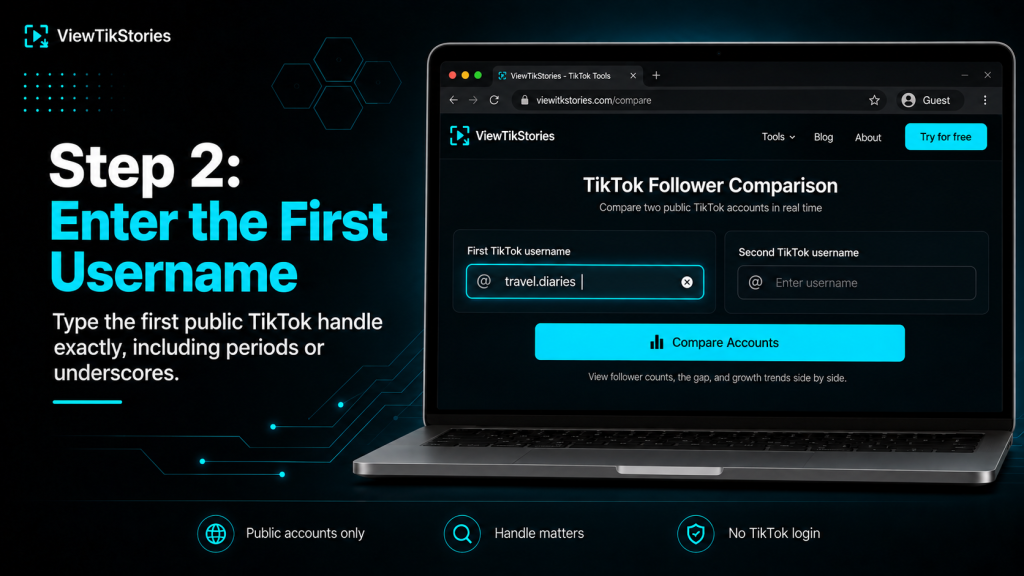
- Enter the first username. Case does not matter but periods and underscores do.
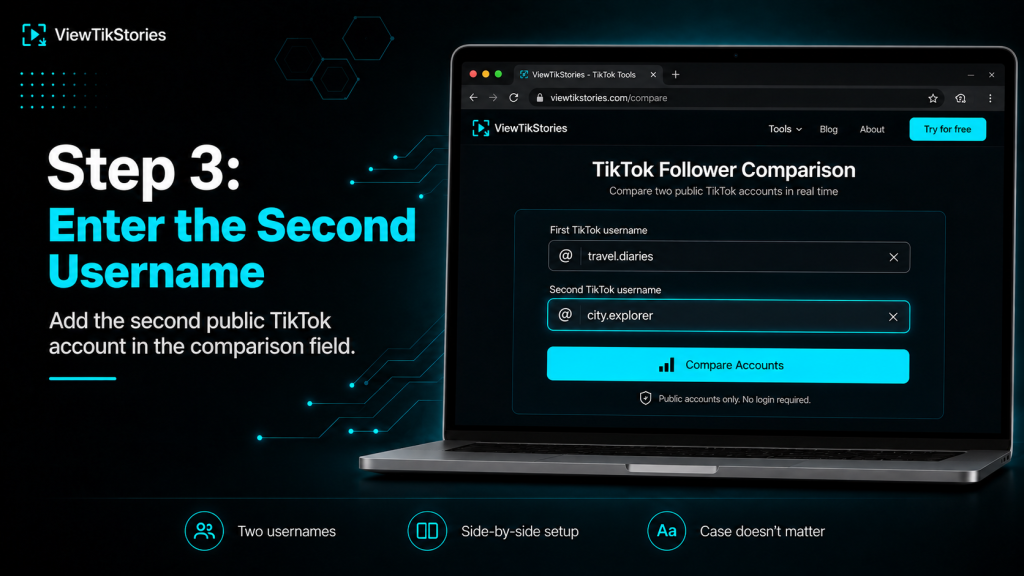
- Enter the second username in the second field.
- Submit and wait a moment for both accounts to load.
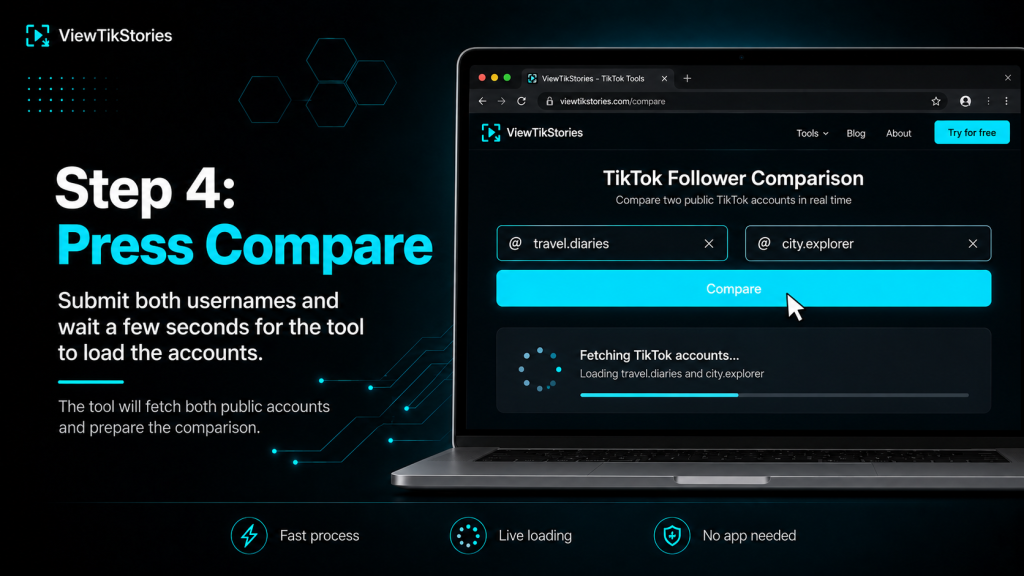
- Both follower counts appear side by side, updating live.
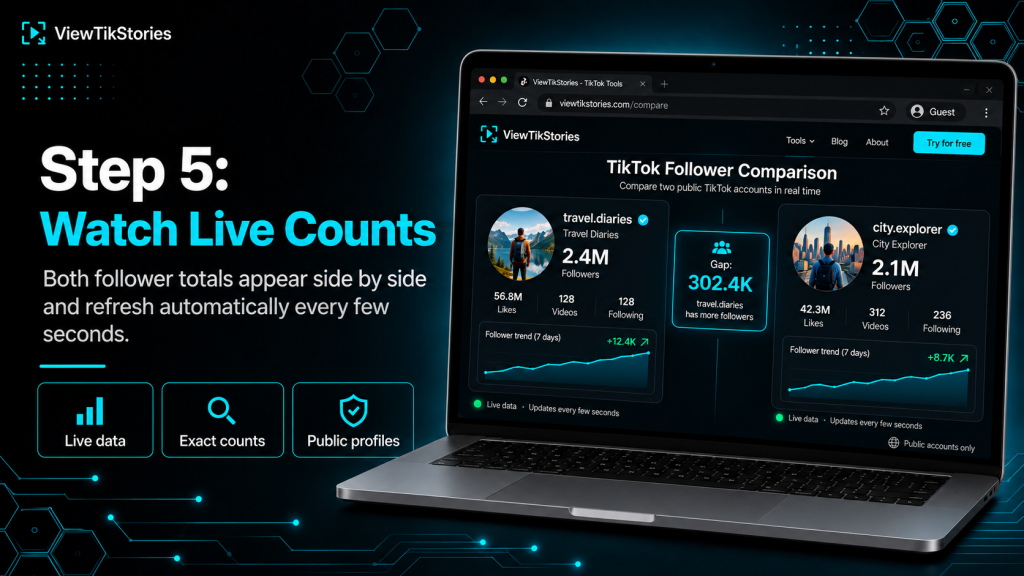
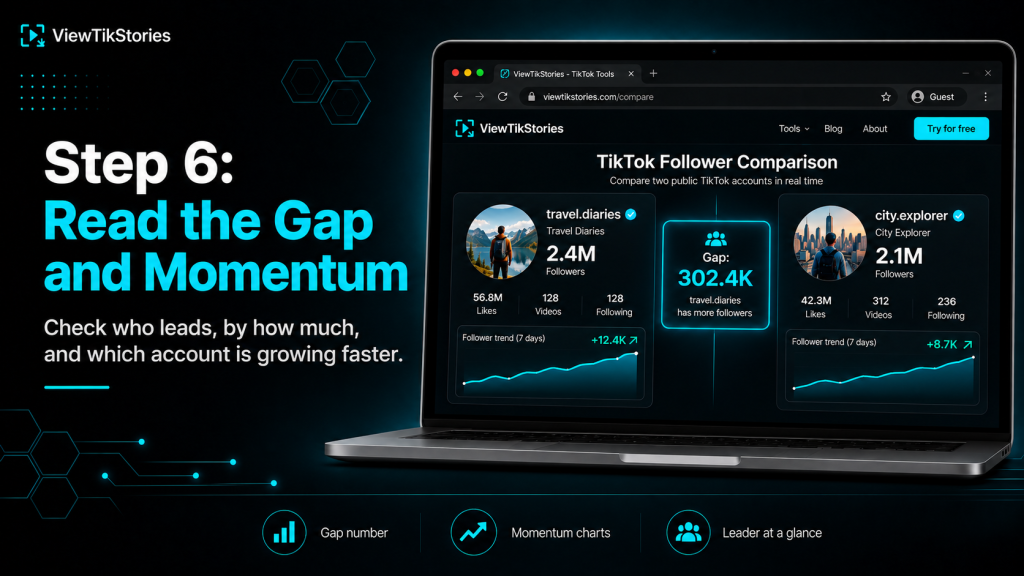
- The gap between them displays in the middle, along with which account leads.
- No TikTok login required.
- No app to install.
- Works on any browser on any device.
- Neither creator receives any notification.
What the Comparison Actually Shows
This table breaks down the specific signals a good comparison view returns.
| Signal in comparison | What it tells you | Why it matters |
|---|---|---|
| Live counts (both sides) | Current exact follower numbers | True standing right now |
| Gap number | Difference between the two | How close the race actually is |
| Momentum charts | Growth rate of each account | Who is accelerating faster |
| Verified badges | Blue checkmark on either side | Confirms real vs impersonator |
| Video counts | Total posts by each | Volume context for follower size |
| Total likes | Cumulative engagement history | Depth of audience beyond count |
The first three rows are what makes comparison meaningfully different from individual checks. The last three add context that helps interpret what the numbers actually mean.
Reading the Gap Number
The middle number that most people focus on first.
- Positive gap.First account is ahead. The number shows how many followers separate them.
- Negative gap.Second account is ahead. The absolute value is the separation.
- Zero gap.The two accounts are momentarily tied, which almost never lasts more than a few refresh cycles.
- Rapidly changing gap.One account is gaining or losing followers quickly relative to the other. Look at the momentum charts to see which direction.
- Stable gap.Both accounts are growing at similar rates. Neither is pulling away.
The gap is not just a number. It is a real-time signal about the competitive dynamic between the two accounts.
The Momentum Charts Matter More Than the Standing
This is the underappreciated part of comparison tools.
A creator behind on total followers but climbing a steeper growth line can erase a large lead in a single viral day. The chart catches that surge while it is happening, well before the follower totals cross.
- Line slope.Steeper line means faster growth. A gentle line means gradual gain.
- Line crossings.Both lines drawn together show relative rate, not just the current position.
- Trajectory prediction.If one line is consistently steeper across a comparison window, that account will eventually overtake the other, all else being equal.
- Volatility signal.A jagged line indicates a viral moment. A smooth line indicates steady baseline growth.
For creator research and competitive analysis, momentum is the leading indicator. The current follower count is the trailing one.
The Race Watching Use Case
The most emotionally engaging use of comparison tools.
Two creators pushing toward the same milestone. One creator closing in on another for a top spot. A rivalry playing out in follower counts. The comparison view turns any of these into something spectator-friendly.
- Milestone races.Two creators both approaching 10M followers. Which crosses first?
- Chart position races.Chasing spots on the most-followed leaderboard.
- Niche rivalries.Two dancers, two comedians, two educators in the same lane competing for audience.
- Cross-platform races.Some comparison tools support one TikTok account against one Instagram or YouTube account, comparing across platforms.
The Khaby Lame overtaking Charli D’Amelio race for the most-followed spot was followed in real time by fans through comparison tools, refreshing to see who was pulling ahead.
The Brand and Creator Benchmarking Use Case
The more serious professional application.
For brands and creators evaluating partnerships, competitive positioning or category leadership, comparison provides context that individual checks miss.
- Partnership tier comparison.Deciding between two potential creator partners at similar sizes benefits from seeing them side by side rather than checking each in isolation.
- Category leadership.Where you sit in your niche relative to the top account in that niche.
- Growth rate benchmarking.Are you gaining faster or slower than the creator you consider your closest competitor?
- Portfolio comparison.Managers running multiple creator accounts can quickly see relative performance across their roster.
- Audit signal.An account claiming to be “the biggest in the niche” can be verified in seconds against the actual biggest account.
For serious partnership vetting, comparison sits alongside other data points like engagement rate, video count and verification status. TikTok’s own TikTok Studio provides deep analytics for your own account, but for competitor comparison, external tools remain the route.
Watching for Impersonators During Comparison
One risk worth naming. TikTok is full of copycat handles. Comparison tools do not verify identity for you. Before committing to a comparison, check both accounts carefully. TikTok’s impersonation policy explains what qualifies as impersonation and how to report fake accounts.
- Check the verified badges.Blue checkmarks on both sides confirm official accounts. Missing badges on accounts that should be verified is a red flag.
- Check the avatars.Real creators have their real photos. Impersonators often use compressed copies.
- Check the follower ranges.If a “creator” has 500 followers when the real one has 10 million, you have the wrong account.
- Check the display names.Real creators’ display names match their public identity. Impersonators often add extra characters.
- Copy the handle from the real profile.Rather than typing the username from memory, opening the correct profile once and copying the exact handle prevents ending up on a lookalike.
Cross-Platform Follower Comparison
Some comparison tools support putting a TikTok account against an account on another platform.
- TikTok vs Instagram.Common comparison for creators who post on both platforms. Shows which platform their audience actually lives on.
- TikTok vs YouTube.Comparing follower count against subscriber count reveals platform-specific reach.
- TikTok vs X.Compares short-form video reach against short-form text reach for the same creator.
- Cross-platform gap interpretation.A creator with 5M TikTok followers and 500K Instagram followers is TikTok-first. The reverse is Instagram-first.
Cross-platform comparison is more meaningful for creators who genuinely post on both platforms. For a TikTok-only creator, comparing to their nearly-empty Instagram account tells you little.
Streaming and Live Overlay Setup
For content creators and streamers, comparison URLs work as browser sources in OBS and Streamlabs.
- Set up your comparison in the browser and copy the URL.
- Open OBS or Streamlabs.
- Add a new Browser Source.
- Paste the comparison URL.
- Adjust dimensions and position on your scene.
- The live-updating comparison renders directly on your broadcast.
- Popular for reaction streams to milestone moments.
- Race-format content that keeps viewers engaged through unfolding results.
- Refresh rate stays live even while the stream runs.
- Works for any two TikTok accounts, not just top creators.
When the Comparison Does Not Load
Common reasons a comparison returns partial or no data.
- One or both accounts are private.
TikTok’sprivate account documentation explains that private accounts restrict all data access to approved followers.
- Username was mistyped.Case does not matter but periods, underscores and numbers do.
- Account was deleted or banned.Removed accounts return no data.
- Handle was changed.Old handles stop working the moment the rename happens.
- One account is very new.Freshly created accounts may take time to appear in third-party tool databases.
Interpreting Small Versus Large Gaps
The gap size itself has meaning.
- Under 10,000.A single viral video can flip the standing. Both accounts are close enough for either to lead any given week.
- 10,000 to 100,000.Weeks to months to close if the trailing account has similar or better momentum. Beatable.
- 100,000 to 1 million.Sustained multi-month advantage. Only strong differential growth closes this.
- Over 1 million.Structural gap. Unlikely to close without a major shift in one account’s trajectory.
- Growing gap.Whichever direction it is growing, that account is winning the race and probably widening the lead.
- Shrinking gap.Whoever is behind is catching up. Watch the momentum chart to see how fast.
Comparison Etiquette Worth Noting
Being clear about the ethics.
- Comparing brand accounts, celebrity accounts and public figures is standard research.
- Comparing two personal creator accounts you have no professional relationship with is more of a gray area.
- One-off comparisons for curiosity are ordinary use.
- Building a permanent monitoring dashboard for a specific individual’s follower count is closer to surveillance.
- The data is public, but not every use of public data is neutral.
Follower Comparison FAQs
Do the two accounts need to be similar in size?
No. Comparison works for any two public TikTok accounts regardless of follower count difference. Very unequal comparisons still show gaps and momentum, just at different orders of magnitude.
Will either account holder know I compared them?
No. Comparison tools do not touch TikTok as an authenticated user. Neither creator receives any notification.
Can I share the comparison URL with somebody else?
Yes. Comparison tools typically generate unique URLs that include both usernames, which can be shared directly.
How often do the counts refresh?
Most live comparison tools refresh every 5 to 15 seconds. The gap and momentum charts update at the same interval.
Two Accounts, One View, One Real Race
Comparing two TikTok accounts side by side turns two numbers into a story. The gap. The momentum. The trajectory. The moment one account overtakes the other. None of that is visible from checking each profile individually a day apart.
For fans watching creator rivalries, for brands vetting partnerships, for creators benchmarking their own growth, the comparison view answers questions the isolated single-account check cannot. Two accounts, one view, one real race unfolding at the refresh rate of the tool. The workflow takes under a minute to set up and reveals what no static screenshot ever will.