
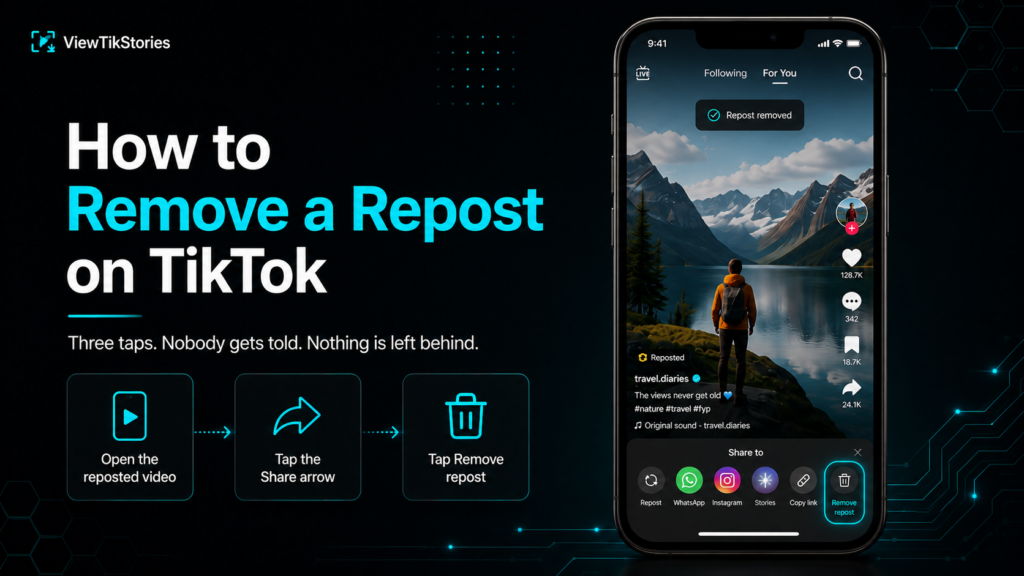
Three taps. Nobody gets told. Nothing is left behind.
The harder part is usually finding the thing again. After that comes working out how it got reposted at all, when you have no memory of doing it.
Remove It in Three Taps
- Open the video you reposted.
- Tap the Share arrow on the right side of the screen.
- Tap Remove repost, which sits in the bottom row where the Repost button was.
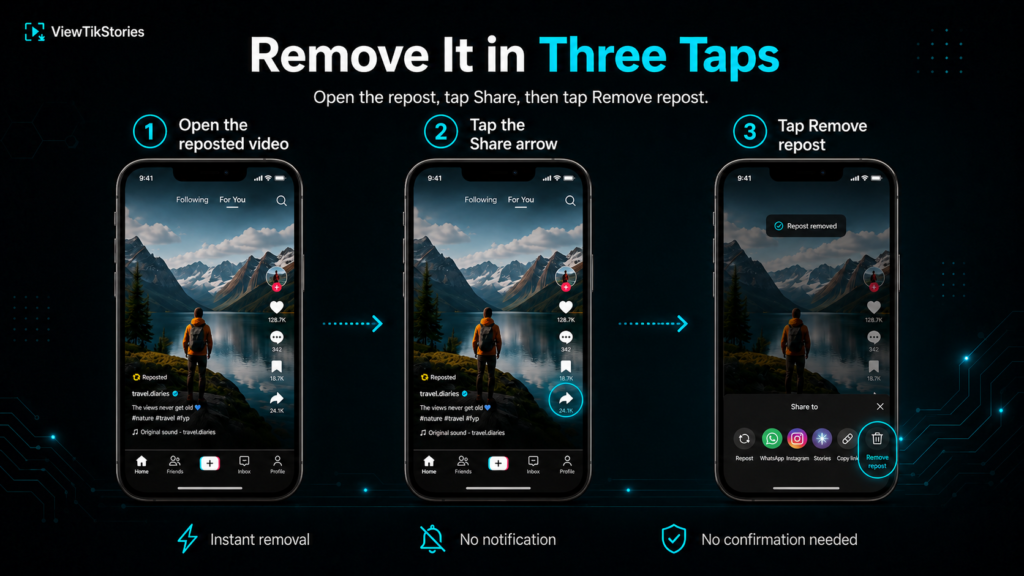
It disappears from your profile straight away. Newer versions of the app skip the confirmation popup entirely, so the tap is the whole action. A short message confirming the repost has been removed appears at the top of the screen.
Finding the Repost Again
If the video is not still on your screen, do not go hunting through your feed for it.
- Open your profile.
- Tap the Reposts tab, the icon with two arrows.
- Every video you have reposted lives there.
- Open the one you want and follow the three taps above.
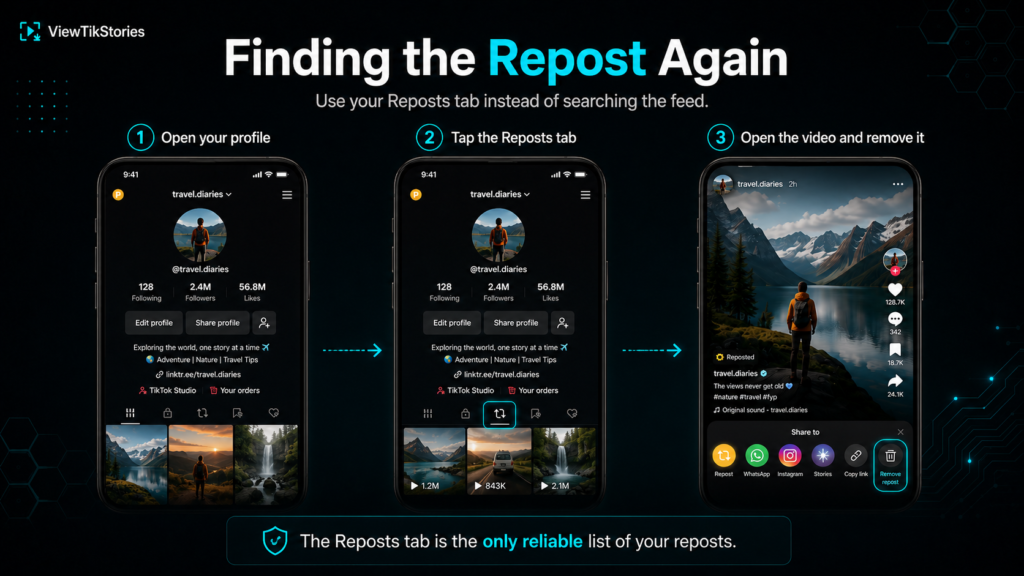
That tab is the only reliable list of your reposts. Searching for the video in the feed can land you on somebody else’s repost of the same clip, which causes the next problem.
When Remove Repost Is Not There
You are almost certainly looking at the wrong copy.
Several people can repost the same video. Open it from a feed or a search and you may be viewing their repost rather than yours, in which case there is nothing of yours to remove and the option will not appear.
Open it from your own Reposts tab instead and the button is there.
- Not in your Reposts tab at all? You never reposted it.
- Liking and saving to favourites do not create reposts.
- The original may have been deleted, which takes the repost with it.
The three actions get confused constantly. The breakdown ofreposts against likes and favourites sorts out which one does what.
Why You Reposted Something You Never Meant To
This is the part almost nobody explains. It accounts for most accidental reposts.
Pressing and holding the heart button reposts a video. Not tapping it, holding it. TikTok added this as a shortcut. It sits exactly where your thumb rests while scrolling.
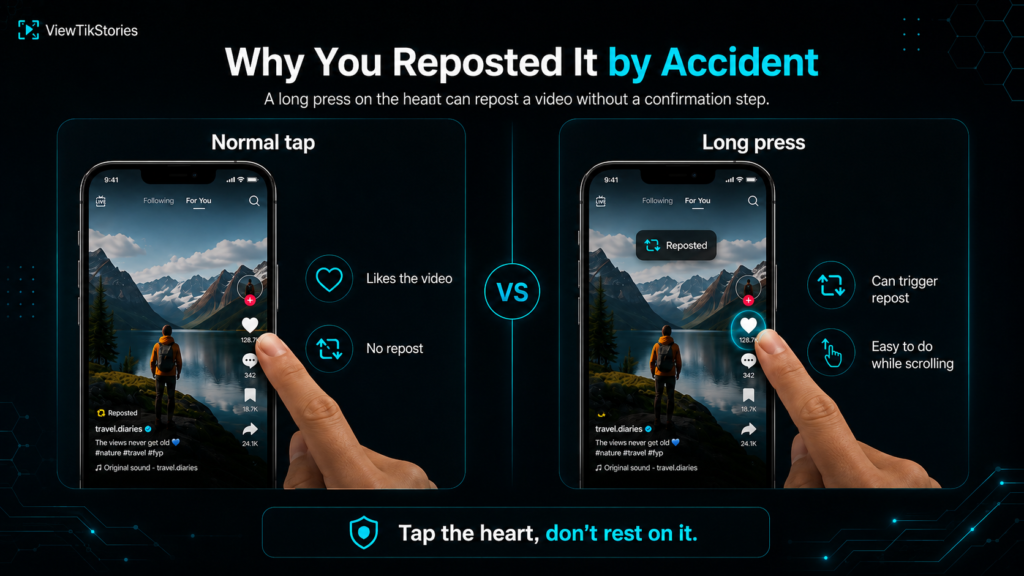
- A slightly long press on the like button is enough.
- It happens most often when scrolling quickly with one hand.
- There is no confirmation step, so it can pass unnoticed.
So if a video you barely remember watching has appeared on your profile, you probably held the heart a fraction too long. Nothing more sinister than that.
Nobody Gets Notified
Worth stating plainly, because this is the actual worry behind most of these searches.
TikTok sends no notification when you remove a repost. The original creator is not told, your followers are not told and nothing appears in anybody’s activity feed.
What can happen is that somebody already saw it. A repost goes out to your followers while it is live, so a fast removal limits the exposure rather than erasing it. Nothing to be done about that. In practice most reposts pass unnoticed anyway.
There Is No Bulk Remove
If your Reposts tab has years of clutter in it, prepare yourself.
TikTok offers no select-all option and no way to clear the tab in one action. Every repost has to be removed individually, three taps at a time.
- One repost takes seconds.
- A hundred takes an afternoon.
- Work from the top of the tab downwards so you do not lose your place.
Tedious, but it does work. Just do not expect a shortcut, because there is not one.
What Happens After You Remove It
The repost vanishes from your Reposts tab immediately and stops being visible to your followers.
Nothing happens to the original video. It stays on the creator’s profile with its own views intact, because a repost never copied the file in the first place. It only pointed at it.
One consequence worth knowing if you are on the other side of this. A repost you liked can disappear the moment somebody un-reposts it, with no warning. That is why people use aview TikTok reposts tool to browse a public account’s reshared videos and save anything worth keeping while it is still there.
Stopping It Happening Again
Two settings worth a look.
- Your own videos.Settings and privacy, then Privacy, then Repost. Turn off the option allowing others to repost your videos.
- Your scrolling habit.Tap the heart rather than resting on it. That single change prevents most accidental reposts.
Worth knowing that a private account cannot be reposted at all. TikTok covers the difference in its guidance onprivate and public accounts. Itspost privacy settings control who sees what you share.
Content removed under theCommunity Guidelines also disappears from repost tabs, which occasionally explains a repost vanishing without anybody touching it.
Removing a Repost FAQs
Does the creator know I removed my repost?
No. TikTok sends no notification for reposting or for removing one.
Can I remove all my reposts at once?
No. There is no bulk option, so each one has to be removed individually.
Why can I not find Remove repost?
You are probably viewing somebody else’s repost of the same video. Open it from your own Reposts tab.
Does removing a repost hurt the creator?
Not meaningfully. The original video keeps all of its own engagement, since a repost only ever pointed at it.
Three Taps and It Is Gone
Reposts tab, open the video, Share arrow, Remove repost. No notification, no trace and no undo needed afterwards.
And if the repost turned up without you knowing, check how you are holding your thumb on the like button. That is usually the culprit.
If you are the one trying to keep a repost rather than remove one, therepost viewer loads a public account’s reshared videos in a browser. Thevideo downloader saves anything you want from a link. Thestory viewer covers stories.