
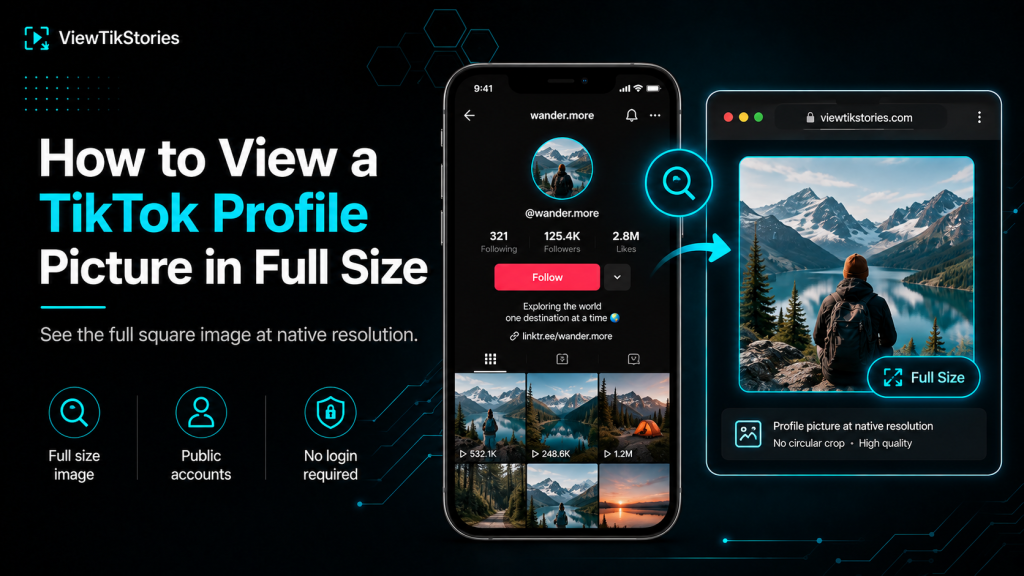
TikTok displays every profile picture inside a small circle. On the profile page it shows around 100 pixels wide. In comments and overlays it shrinks to 32 or 40 pixels. And the app blocks every gesture that would normally make an image bigger. Tap does nothing. Long-press does nothing. Pinch on the picture does nothing.
The underlying file TikTok stores is much larger. Uploads are commonly 720 by 720 pixels or 1024 by 1024, sitting on the platform’s CDN in the original creator uploaded. That gap between what the app shows and what the CDN holds is exactly what makes viewing at full size actually possible. It is also why every in-app trick fails while a browser method succeeds.
Quick Answer
Open a browser, paste the TikTok profile URL or the handle into a profile picture viewer tool. The image loads at the full stored resolution. No circular crop, no interface elements around it, no login required. Works for any public account. If the creator originally uploaded a small image, that smaller size is the largest that will ever be available, since TikTok never enlarges an original upload.
The App Displays One Version, TikTok Stores Another
This is the underlying reason nothing in the app enlarges the picture.
When somebody uploads a profile picture to TikTok, the platform stores that upload on its content delivery network. The app requests small compressed versions of that source when it needs to show the picture somewhere. Profile page requests around 100 pixels. Comments request around 32 pixels. Video overlays request around 80 pixels. Every rendered version in the app is a scaled-down copy of the source.
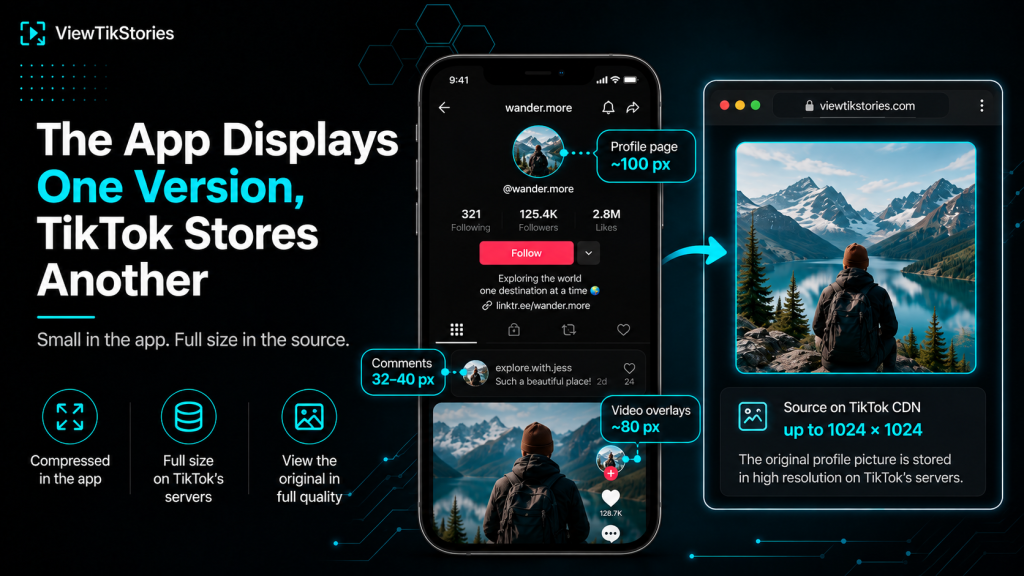
- Source file lives on TikTok’s CDN at up to 1024 by 1024 pixels.
- App displays 100 pixel version on profile pages.
- App displays 32 to 40 pixel version in comments.
- App displays 80 pixel version in video overlays.
- None of these in-app versions can be enlarged back to the source size.
Why the App Blocks Every Zoom Attempt
The friction is deliberate design rather than a missing feature.
TikTok’s profile setup documentation covers how to update your own profile picture but never mentions any way to enlarge somebody else’s. That silence is intentional. The app is optimised for scrolling video content, so a full-size profile picture viewer would slow that flow down.
- Tap gesture on a profile picture opens the profile, not an enlarged view.
- Long-press does nothing at all on profile pictures.
- Pinch-to-zoom works on videos but is blocked on profile picture elements.
- No hidden setting exists to change this behaviour.
The only way past the wall is to leave the app entirely and read the source file through a different route.
Every Method You Might Try, Ranked
This table compares each approach and what it actually delivers.
| Method | What you actually see | Quality outcome |
|---|---|---|
| Tap in app | Nothing happens | No enlargement at all |
| Long-press in app | Nothing happens | Same result as tap |
| Pinch to zoom on feed | Zooms the video, not the avatar | Zero help for the picture |
| Screenshot the profile page | Circle plus interface | Poor, needs cropping |
| Browser desktop right-click | Small preview version | Fair, still compressed |
| Browser viewer tool | Full square at native size | Full source quality |
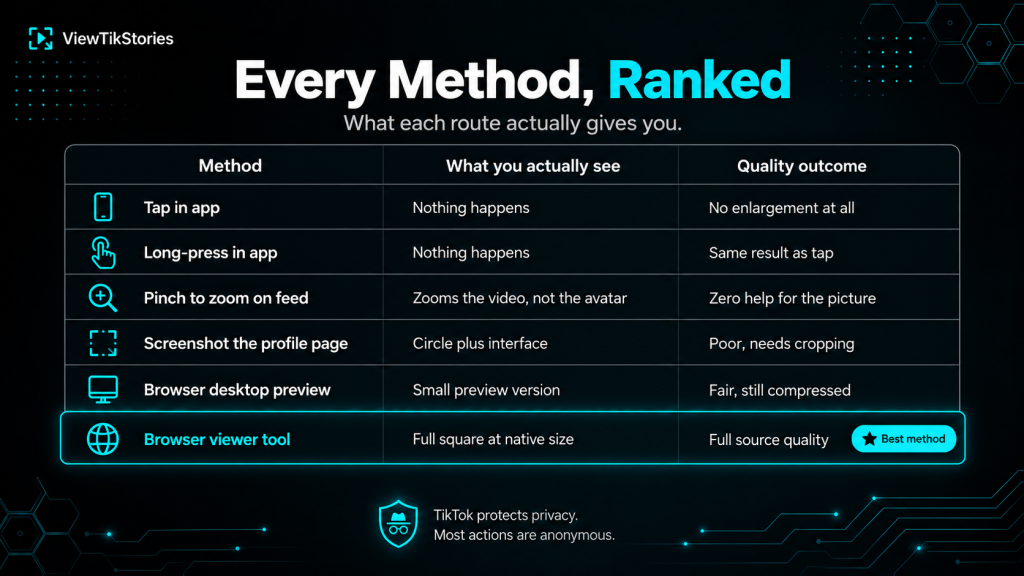
The bottom row is the only one that returns the full stored version. Everything above it either fails outright or delivers a compressed downgrade.
The Browser Route in Full Detail
The browser route bypasses the app entirely and reads the source file directly from TikTok’s CDN.
- Find the TikTok account you want to see clearly. Note the username or copy the profile URL.
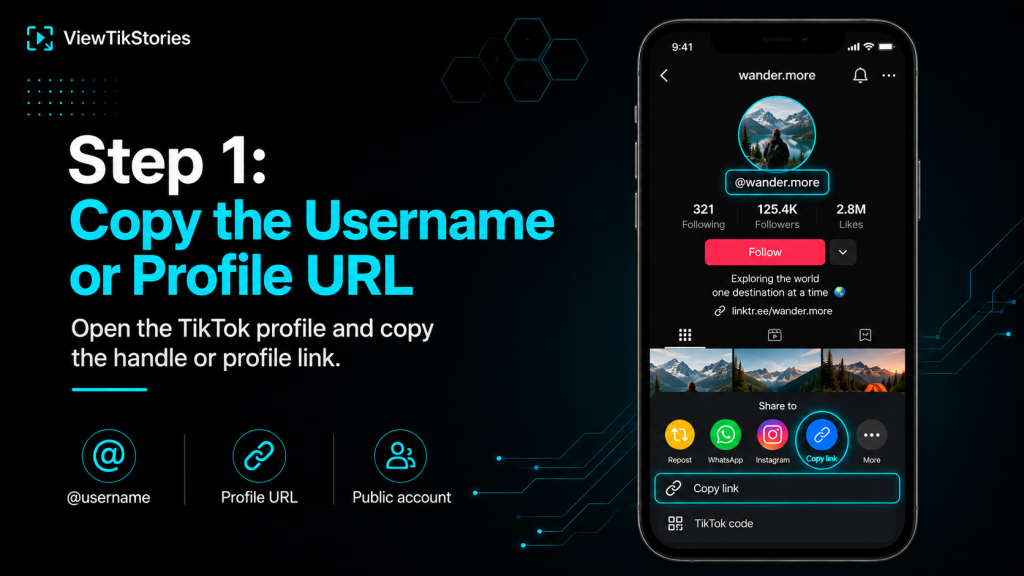
- Open aTikTok Profile Picture Downloader or viewer in any browser on any device.
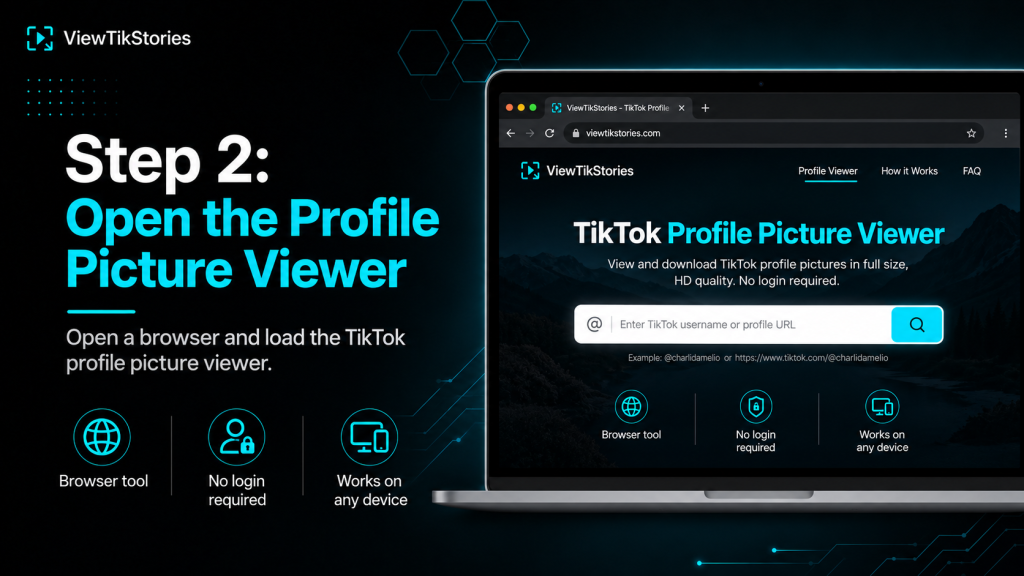
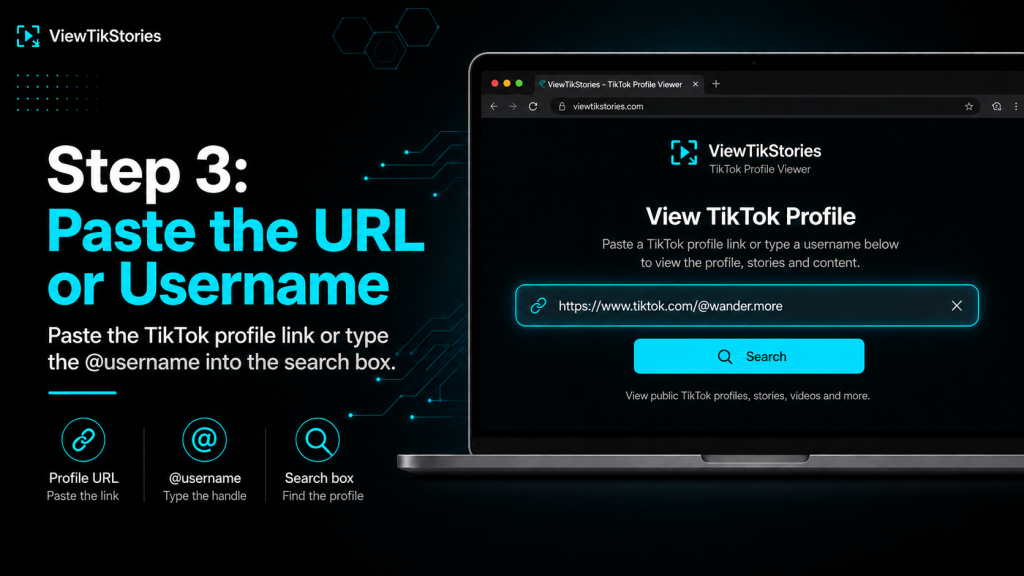
- Paste the URL or type the username into the input field.
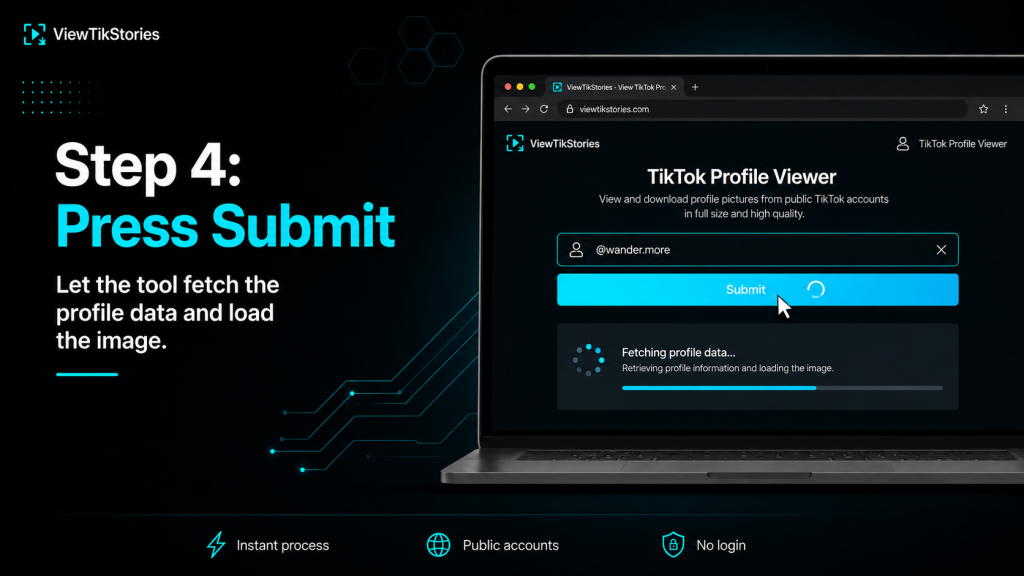
- Hit submit and wait a second for the tool to fetch the profile data.
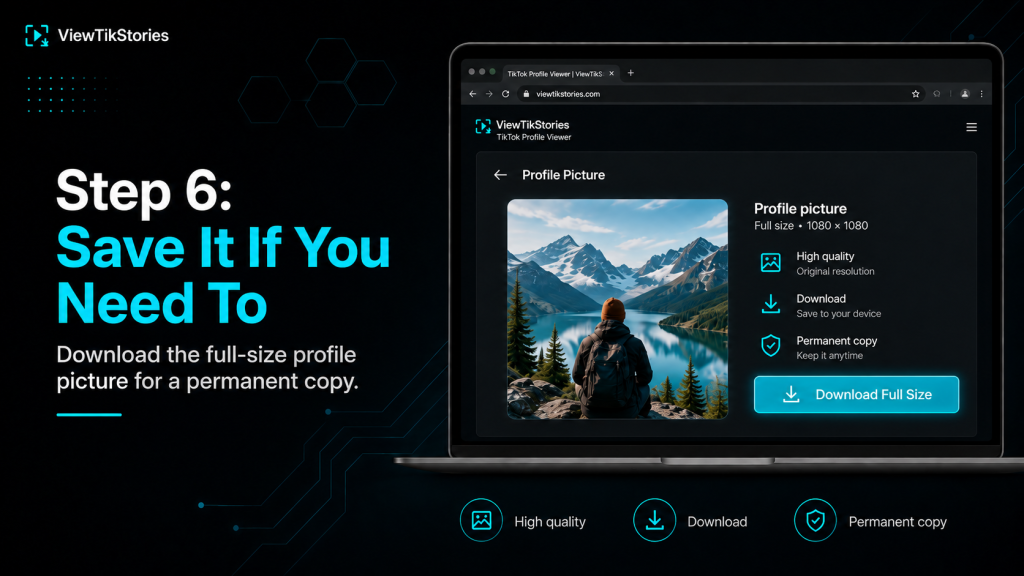
- The picture appears at native resolution, as a full square with no circular mask.
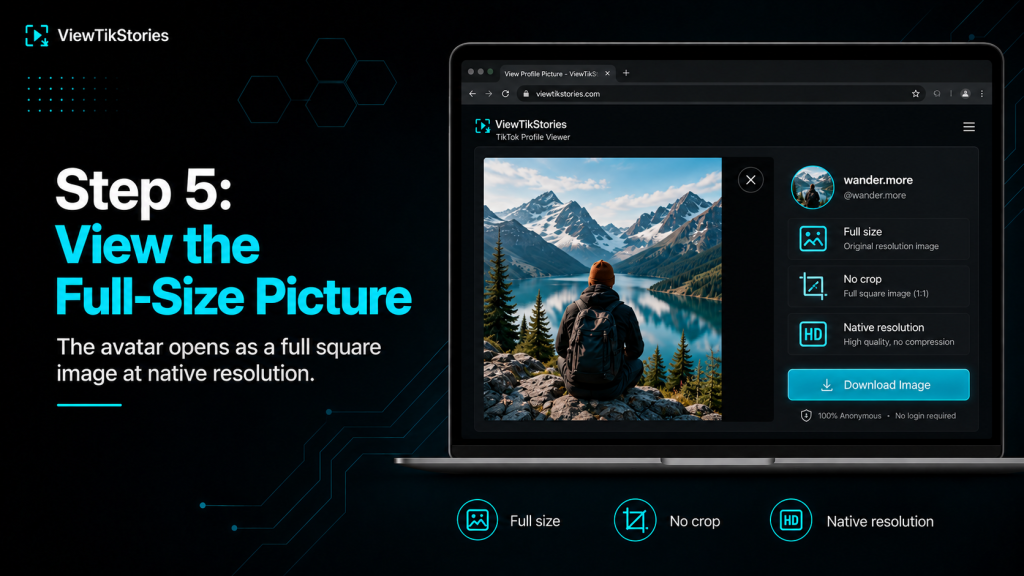
- View it in full. Save it if you want a permanent copy.
- No app switching between tabs and TikTok.
- No TikTok account required on your side.
- The account holder receives no notification.
- Works identically on iPhone, Android, Windows, Mac and Chromebook.
Full Size Means What TikTok Was Given
An important honesty check.
Full size on TikTok does not mean any arbitrary large size. It means whatever the account holder actually uploaded, up to TikTok’s internal ceiling. If somebody uploaded a 400 by 400 photo three years ago, TikTok has been storing 400 by 400 ever since. No tool anywhere returns anything larger.
- Standard upload.720 by 720 pixels. Common recommended size.
- High-quality upload.1024 by 1024 pixels. Delivers best clarity after TikTok’s compression.
- Small upload.Down to 20 by 20 pixels minimum. Whatever was uploaded is what is stored.
- AI upscale claims.Any tool promising 4K or 8K TikTok profile pictures is inventing pixels through AI enlargement, not retrieving them from TikTok.
The honest ceiling is important because it separates real tools from marketing gimmicks. A viewer that says “up to 1080” is honest. One that promises 4K is not.
The Video Profile Picture Case
Some creators use a short video as their profile picture rather than a still image. Worth flagging because it changes what a viewer tool returns.
- TikTok supports 3 to 6 second MP4 profile videos.
- The video plays on the profile page.
- Comments and overlays fall back to a still frame from the video.
- Some viewer tools can extract either the still frame or the full video, depending on their implementation.
- If a creator uses a video profile picture, the “still” you see in most contexts is a chosen keyframe rather than an uploaded photo.
Video profile pictures are less common but worth knowing about, since a viewer tool response can look different for them.
Five Viewing Scenarios Where This Actually Matters
The reasons people need full-size viewing are usually specific rather than general.
- Verifying a friend request.An unfamiliar username sent a follow request. Comparing their tiny circle avatar to a photo you know they use elsewhere is often impossible at 32 pixels but easy at native resolution.
- Confirming a brand contact.A brand or business account reached out. Their real profile picture at full size looks noticeably different from a lookalike account’s.
- Checking a dating cross-reference.Somebody’s dating profile mentioned their TikTok. Full-size viewing confirms the person matches the images they showed.
- Studying creator design choices.Designers analysing how successful creators style their avatars need the full square, not a tiny circle sample.
- Preparing a contact photo.Setting a creator’s avatar as their phone contact picture looks vastly better at 720 by 720 than at 32 by 32.
Spotting a Fake Account
The viewing method matters most for impersonation detection.
TikTok’s impersonation policy covers what qualifies as a fake account and how to report one. Full-resolution profile picture comparison is the strongest first-check signal, because fake accounts almost always use a compressed copy of the real avatar rather than the original.
- Sharpness gap.Real accounts upload sharp originals. Fakes often re-upload a screenshot, which shows visible compression at full size.
- Edge quality.Fine hair or edge details in the real picture often get lost in a screenshot-then-re-upload chain.
- Colour accuracy.Slight colour shifts from repeated encoding are visible only at full resolution.
- Cropping mismatch.A fake might have cropped the picture slightly differently, moving elements off centre.
Two profile pictures at native resolution side by side reveal in seconds what two tiny circles cannot show at all.
Why Screenshots Are the Worst Route
The obvious workaround turns out to be surprisingly bad.
Screenshotting captures what the app displays: the circular crop at whatever pixel resolution your phone screen supports. The corners of the source get lost inside the circle mask. Interface elements around the picture usually end up in the frame. And the resulting file is limited by the phone screen rather than by what TikTok actually stores.
- Circular mask baked into the file.
- Interface elements around the image.
- Quality limited by device screen.
- Cropping and cleanup required afterwards.
- Even after cleanup, the file is smaller than the source TikTok holds.
Private Account Considerations
TikTok’sprivate account documentation covers what stays hidden on private accounts. Profile pictures on private accounts are usually still visible to non-followers, since profile pictures help people find and identify each other, but the setting has varied over time and may differ by region.
- Most private accounts still expose the profile picture externally.
- Some private account settings may hide the avatar from non-followers.
- Videos and Stories on private accounts stay entirely hidden regardless of what any tool claims.
- Only the profile picture is potentially accessible on private accounts.
The Verification Habit Worth Building
For anyone doing regular account verification, the full-size viewing habit is faster than it sounds.
- Time cost.Under a minute per lookup once the workflow is familiar.
- Bookmark the tool.The steps become a single tap plus a paste plus a click.
- Compare in tabs.For suspected fakes, opening both accounts in separate browser tabs makes side-by-side comparison easy.
- Trust the resolution.If two pictures look identical at full size, they are the same. If they look slightly different, the difference is real, not a rendering artifact.
- Report if needed.TikTok’s impersonation reporting flow works fastest when you can point to specific visual differences.
When the Viewer Cannot Show a Picture
Four common reasons the tool comes back empty.
- Wrong username.Case does not matter, but periods, underscores and numbers do. Double-check the exact handle.
- Account was deleted or banned.Removed accounts return no data at all.
- Regional restriction.Some accounts are unavailable in specific countries.
- Handle was changed.The old username stops working the moment the rename happens. Try the new handle if you know it.
These reflect what TikTok itself makes available. None are tool bugs.
TikTok Full-Size Viewing FAQs
Why does TikTok make profile pictures so hard to see clearly?
Design choice. TikTok is optimised for scrolling video content, so profile picture inspection was intentionally deprioritised. No hidden setting changes this.
Will the person be notified when I view their profile picture?
No. TikTok does not notify anyone about profile picture views, whether through the app or through browser tools.
Can I view a private account’s profile picture?
In most cases yes, since profile pictures help people find each other. Videos and other content on private accounts stay hidden.
What is the highest resolution a TikTok profile picture can be?
The stored source is whatever the creator uploaded, typically 720 by 720 or 1024 by 1024. TikTok never enlarges the original beyond what was uploaded.
A Small Circle Hides a Full Square
The TikTok app deliberately keeps profile pictures small. The tap does nothing. The long-press does nothing. The zoom gesture is blocked. That combination looks like the app has no way to show the picture larger, but the underlying reality is different.
The source file sits on TikTok’s CDN at full resolution. Any browser tool that reads that public source returns it cleanly. Full square, native size, no circular crop, no interface. What the app hides, the browser reveals in seconds.