
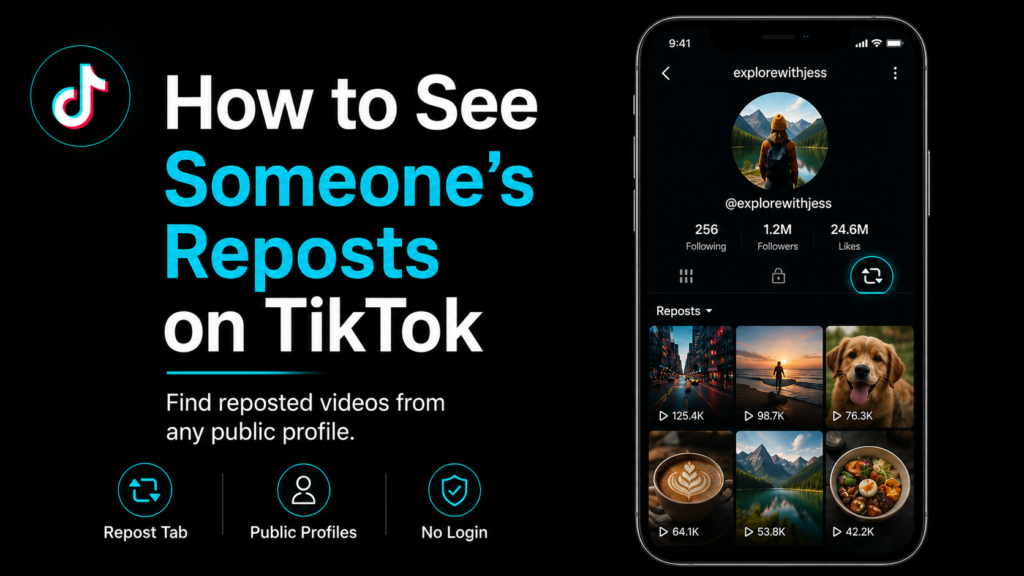
Ever scroll through someone’s TikTok and wonder what they have been resharing lately? Reposts do not show up in the main video grid, so they are easy to miss even when you are staring right at a profile.
There is actually a dedicated spot for them on every public account. Once you know where to look, checking takes about five seconds. Here is how it works inside the app, plus a browser option that skips TikTok entirely. Neither one takes long and both get the job done without much fuss.
The Repost Tab Most People Walk Right Past
Reposts live in their own tab, separate from anything a person actually filmed. Open a profile and look near the top of their videos for a small icon shaped like two arrows. Tap it and every video that account has reshared lines up in one place.
Nobody really talks about this icon much. It is tiny and blends right in. Most people scroll past a profile for months without ever spotting it there.
Why the Tab Sometimes Comes Up Empty
There are three usual reasons a repost tab shows nothing. Maybe the account is private, so reposts only show up for approved followers just like the rest of what they post. Maybe the person has just never used the repost feature, which plenty of TikTok users skip entirely. Or maybe reposting got switched off in their settings, hiding the tab no matter who looks.
Private accounts do not have a workaround here. If someone has not accepted your follow request their reposts stay out of view along with the rest of their activity. That is by design and it is not something worth trying to get around.
Checking Reposts Inside the App
Here is the quick version if you want to check it yourself.
- Open the TikTok profile you are curious about.
- Look for the two arrow icon sitting near their videos.
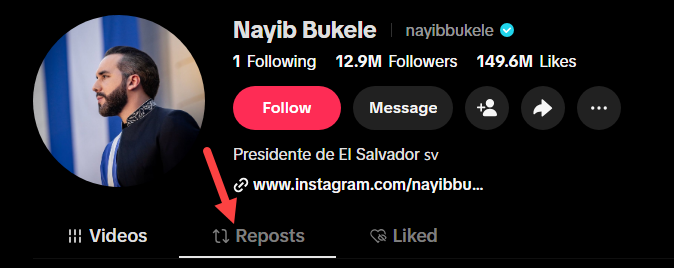
- Tap it to open the repost tab.
- Scroll through whatever shows up.
No icon showing up usually just means the account is private or has not reposted anything. Give it a refresh or try again later too, since sometimes it is just a slow load rather than an actual setting.
A Browser Based Option That Skips the App
Maybe you would rather not open TikTok at all. Maybe you just want to grab a copy of something before it disappears. Either way, a TikTok Repost Viewer handles it from a browser instead. Type in a username, an at-sign handle or a profile link and it pulls up every repost from that public account on one screen. No login, no follow request and nothing added to your TikTok activity. There is no cap on how many reposts it can pull in, so even a heavy repost history should not cause any real problems.
It also handles downloads. Reposts saved through the tool usually come through as clean MP4 files without the TikTok watermark, since it tries to grab the original video rather than pulling straight from the app. That is handy when a repost is worth keeping around since accounts can quietly un-repost a video and it disappears from their profile for good.
Your TikTok account stays completely out of it. No notification, no alert, nothing shows up telling the person their reposts got checked out.
A Few Things Worth Knowing
A couple of quick things can save you a headache before you start searching.
- Double check the spelling of the username, since a single wrong letter pulls up a completely different account or nothing at all.
- Public accounts only. Private profiles stay off limits no matter which method you use, browser tool or the app itself.
- Reposts do not stick around forever. Once an account un-reposts something it is gone from their profile, so save what matters sooner rather than later.
FAQs
Will the account know I checked their reposts?
No. Viewing reposts through the app or through a browser tool does not send any notification or alert to the account owner.
Can I see reposts from a private account?
Nope. Private profiles keep reposts locked down to approved followers only and nothing changes that.
Do I need to follow someone to see what they have reposted?
Nope. Public accounts show their reposts to anyone whether they follow or not. There is no need for a TikTok account of your own to see them.
Why is the repost tab empty for an account I am checking?
Usually because the account has not reposted anything, has the feature turned off or is private. A misspelled username can also cause it to come up blank. Waiting a few minutes and trying again usually clears this up if it was just a timing issue.
Can I download reposts I find through a browser tool?
Yes. Most reposts save as standard MP4 files in HD, often without a watermark, though that depends on the original video.
Does it work if the account has a lot of reposts?
Yes. Accounts with a long history of reposts just take a bit longer to load since there is more to pull together. Once the page finishes loading, everything shows up the same way it would for a smaller account.
Most people never notice this feature even exists. Pull up the tab in the app or open a TikTok Repost Viewer instead. Either way gets the job done in about a minute.